Cada día ofrecemos un programa licenciado GRATIS que de otra manera tendrías que comprar!
Giveaway of the day — Hard Drive Inspector 4.19
Hard Drive Inspector 4.19 estaba como Giveaway el día n 4 de noviembre de 2013

Imagínese cómo se sentiría si hubiera perdido repentinamente todos los datos de su computadora: todos los documentos, correos electrónicos, direcciones, cuentas, contraseñas guardadas, fotos, música y vídeo. Suena como una pesadilla, ¿no es así? Pero eso es exactamente lo que sucederá cuando el disco duro, una parte de una computadora que almacena información, se bloquea.
El disco duro constantemente tiene piezas rotativas mecánicas que sufren desgaste. Y se puede romper en cualquier momento sin previo aviso dejándole solo cenizas: sin nada. Sí, un disco duro es sólo un pedazo de metal y fáciles de reemplazar, pero se puede restaurar tan fácilmente sus contenidos únicos que reflejan años de su vida y su obra? Prevenir es mejor -y mucho más barato- que curar. Use Hard Drive Inspector que supervisa continuamente la salud discos 'y le avisa en caso de peligro, lo que reduce sus posibilidades de "sorpresa" impactante. Instale Hard Drive Inspector gratis ahora, mañana puede ser demasiado tarde para su disco duro.
No se pierda la oportunidad de ahorrar $20 (50% descuento) enHard Drive Inspector para Notebooks!
Tenga en cuenta que mejor idea de las mejoras será recompensada con una licencia de por vida (incluyendo actualizaciones y soporte) para Hard Drive Inspector. Utilice Idea widget de Informer para presentar sus comentarios y no se olvide de completar su nombre y correo electrónico - de lo contrario el desarrollador no podrá comunicarse con usted en caso de que usted sea el elegido para ganar!
The current text is the result of machine translation. You can help us improve it.
Requerimientos del Sistema:
Windows 2000/ XP/ 2003 Server/ Vista/ 7/ 8; about 10 MB of disk space
Publicado por:
AltrixSoftPágina Oficial:
http://altrixsoft.com/en/hddinsp/Tamaño del Archivo:
9.34 MB
Precio:
$29.95
Mejores Titulos
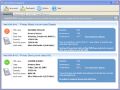
Hard Drive Inspector for Notebooks is a powerful, effective and easy-to-use program that monitors hard drive health. Notebooks edition has all the functionality of the Professional version, but also takes into account specific features of notebooks.
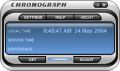
Chronograph is a simple utility that synchronizes your computer’s internal clock to the atomic time. Standard internal clocks are usually very incorrect, and need frequent manual corrections. Chronograph automatically maintains correct time using atomic clock servers of the US National Institute of Standards and Technology.
GIVEAWAY download basket




Comentarios en Hard Drive Inspector 4.19
Please add a comment explaining the reason behind your vote.
Well I found this GAOTD pretty much accurate with regard to S.M.A.R.T. attributes in order to predict any possible HD failure (raw read error rate, spin up time, error rate etc...); and it's also noobs friendly since it can interpret the S.M.A.R.T. data it found with a very easy expanation.
So overall it does the job pretty well and as GAOTD it's ABOVE AVERAGE, but seems to be more suitable for PC DESKTOPS rather than LAPTOPS (support for external drives also appears to be limited).
Personally I prefer a tool designed to check the health of my USB and External drives, as most of my backup data are there....how about you dudes?
And anyway, as usual charging money for a product like this doesn't make too much sense to me nowadays...what do you make of it dudes?
http://gsmartcontrol.berlios.de/home/index.php/About (==> unlike this GAOTD it's more suitable for external HDs and USB flash Drives)
http://www.softpedia.com/get/System/Hard-Disk-Utils/Western-Digital-DLG-Diagnostics.shtml
Wanna a FREE & PORTABLE app?? No problem, with Giovanni you can do that for FREE:
http://www.softpedia.com/get/PORTABLE-SOFTWARE/System/System-Info/Portable-CrystalDiskInfo.shtml
To monitor the fan speed, voltage and chip temperature, so as to avoid damaging your system by restraining the excessive heat of both HD and CPU, try these 2 FREE GEMS:
* SpeedFan (==> Softpedia Editor Pick & my Personal First Choice)
With this magic FREE TOOL users can tweak both voltage and temperature parameters speed fans, according to the detected temperatures, so as to avoid damaging their system by restraining the excessive heat of both HD and CPU.
It can also perform an in-depth analysis on your HDs, by monitoring the S.M.A.R.T. readings of your EIDE, SATA and SCSI hard disks and RAID controllers, thus allowing users to anticipate any possible system failures in the future.
http://www.almico.com/speedfan.php
* eFMer TThrottle (==> Supports both Intel and AMD Processors sporting an internal temperature sensor)
Can monitor the CPU & GPU (CUDA/ATI) temperatures and set the runtime of any running program, to make sure that the CPU or Gpu Processor temperature doesn't exceed a certain temperature.
Yes, you heard that right: what it does is adjusting the amount of time a certain process (program) may run, and then stop all threads of it for a short amount of time should the Core temperature exceed the warning level.
This way you'll always keep the temperature of your system below the “Set Temperature”: cool, isn't it? Must have program especially for LAPTOP users!!
http://efmer.eu/boinc/index.html
Enjoy!
Cheers by Giovanni Mr FREE!!!

Pros
*Analyzes and monitors the health of hard drives using S.M.A.R.T.
*Instead of just giving you raw S.M.A.R.T. data, provides some easy-to-understand stats about the health of your drive
*Has multiple different ways of you warning you of potential failure, such as via email
*Works with all types of internal and external drives that support S.M.A.R.T. -- which is pretty much all modern drives
Cons
*As is typical with all programs of this type, failure detection/prediction is not 100% accurate
Free Alternatives
Ashampoo HDD Control 2 (freebie, not freeware)
HDD Expert
HDDScan
Final Verdict
Click here for final verdict and full review
The majority of manufacturers of prebuilt machines usually include software of this nature for free.
If you visit the website of your hard drive manufacturer, you should be able to download a whole bunch of diagnostics and utilities for free.
At the end of the day, A warning that my hard drive is not doing so well is nice. A quality backup done that is maintained twice a week is far better.
Thanks to AltrixSoft & GOTD.
Downloaded,installed and activated.
Tested it.
Result: Very Good.
• you can choose whether to run it at Windows start up
• you can choose whether to display disk's death time estimation
It will run minimised. You can right click and choose to [Open Hard Drive Inspector] to see the main window.
The software displays the hard disk's health under 3 main areas:
• Reliability [e.g. "Good"]
• Performance [e.g. "Good"]
• Error resistance [e.g. "Good"]
It shows the temperature of your various hard disks.
You can choose to display in Fahrenheit or Celsius.
It will also display the temperatures in small font in the system tray area.
It displays data about the hard disks:
• capacity
• total free space
• the accumulated total power-on time (since it was first used)
Well thought through software product and good programming.
Excellent user interface.
This is on par with the other very good software named Hard Disk Sentinel.
SpinRite by Gibson Research is the grandfather of hd analysis. I feel that SpinRite is the gold standard of hd defect detection and recovery. SpinRite works on ALL drives, with and without SMART.
https://www.grc.com/sr/whatitdoes.htm
Anything else is just assisting us to see and understand the SMART info, which is better than nothing.
Sure, SpinRite isn't free. But it works.
disclaimer - I do not work for or have material interest in Gibson Research... just passing along the facts.
Ofertas de hoy para iPhone »





Ofertas de hoy para Android »





No me convenció, porque me desabilitó el programa multi-sensor original de la tarjeta asrock sin pedir autorización, desintalé el programa y se me e igual se quedó desabilitado, para asegurar de no tener otro percance no conocido restauré el sistema.
Save | Cancel
Me desabilitó el programa multi-sensor original de la tarjeta asrock sin pedir autorización, desintalé el programa y se me e igual se quedó desabilitado, para asegurar de no tener otro percance no conocido restauré el sistema.
Save | Cancel