Cada día ofrecemos un programa licenciado GRATIS que de otra manera tendrías que comprar!
Giveaway of the day — Presentation Assistant 2.4.3
Presentation Assistant 2.4.3 estaba como Giveaway el día n 26 de junio de 2012
Asistente de Presentación es un software de pizarra virtual para presentación técnica, educación, demostración, explicación, y reunión en el trabajo o si usted sólo tiene que explicar algo a alguien en su equipo.
Le ayuda a presidir una reunión más eficazmente, le permiten acercar y hacer anotaciones directamente sobre la pantalla. Además, ofrece más herramientas adicionales - Spotlight, cortina, pantalla de reloj digital, punta de flecha con ampliación, captura de pantalla, etc
Estamos ofreciendo un descuento del 50% en la versión profesional de Auxiliar de Presentación en el día de regalo. Obténgalo aquí.
The current text is the result of machine translation. You can help us improve it.
Requerimientos del Sistema:
Windows XP/ Vista/ 7
Publicado por:
GoldGingko SoftwarePágina Oficial:
http://www.presentation-assistant.com/assistant/Tamaño del Archivo:
5.23 MB
Precio:
$29.95
Mejores Titulos
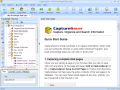
Everyone who surfs the Net comes across information they need to keep. With CaptureSaver you can permanently save selected text, images, and complete Web pages, then edit, mark, organize, and search for information in your offline personal and portable knowledge base. CaptureSaver lets you arrange your data in a free-form hierarchical tree. You can add notes, keywords, even modify the html. When you use CaptureSaver you'll never lose important information, or have to worry about Web sites or pages disappearing never to be found again.
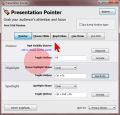
In presentations it's all about to grab and to focus the attention. Presentation Pointer makes it easy for your audience to follow your actions on the screen. It adds cursor highlighting abilities and more visual and audible mouse click effects. It also displays your keystrokes in an overlay at the bottom of the screen and allows you to draw on a video as it was playing.
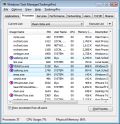
TaskmgrPro enhances Windows Task Manager and provides powerful features. You can batch kill or resurrect processes in the Processes tab, batch stop or start services in the services tab, view all established TCP connections in the additional TCP/IP tab, manage the Windows startup procedure in the additional Startup tab, schedule shutdowns/reboots/... in the additional Shutdown tab and manage shared folders easy in the additional Shares tab.
GIVEAWAY download basket



Ofertas de hoy para iPhone »





Ofertas de hoy para Android »





Comentarios en Presentation Assistant 2.4.3
Please add a comment explaining the reason behind your vote.
Program works like it's supposed to... doesn't matter if you install the program first or use activate both will end up to the same result. Should people miss this one here's my recommendation.
LiveCapture... a bit crude on the interface but has almost all the same features as this tool.. http://Livecapture.googlecode.com
But should you have the chance to download this one it definitely get's a thumbs up from me..
As for the product yes having it portable is always a nice touch but I'm sure that you could just use reg to ini and reference to it to make the product portable in a fast way or... create a pack file on cameyo just tested it and it's portable quite nicely...
One last thing the spotlight and image import feature need some work cause on some video drivers you get a blank square and nothing imports and as for the spotlight id prefer a moving circle that follows the mouse for on screen projections.
Just my 2 cents
P.S: I love the fact that I can add png's to the packs just by dropping them into the folder.
P.P.S: 30$ for a multiple monitor support presentation tool is actualy resonable price in my opinion as long as it's lightweight.
Save | Cancel
Today's giveaaway looks good to me but STEPSHOT, given away here a few days ago, is in my view far better and more professional than this GAOTD!!
A cool FREE tool very useful for presentations, nobody seems to be aware of, is also "Capture2Text 2.0": in short, it enables you to transform your screen captures to text and even to speak into your microphone and then convert your speech to text!!
Yes, you heard me right dudes: it's FREE!!!!
Amazing, isn't it??
http://capture2text.sourceforge.net/
And how about bringing your PowerPoint slides into life and/or record, upload and share professional video presentations for FREE??
http://presentationtube.net/
Another nice free app for technical presentations, education, demonstrations etc... is also "SMRecorder":
http://www.video2down.com/index.php/documentation/87-capture-audiovideo
Finally, for people looking for a PORTABLE version of this GAOTD, P-APPS is the best free tool for that:
http://portable-app.com/
My 2 cents....
Save | Cancel
For a developer claiming to sell Presentation tools (their 4 products all are) to a professional audience ("Teachers, Professors, Specialists, Project managers, Department Managers..."), you could expect at least a good PRESENTATION video showing exactly what the product does and how you interact with it, because interaction here would be the key point. For me all this doesn't sound very pro.
Save | Cancel
To the people wanting this portable, Cameyo is your friend.
http://www.cameyo.com
Save | Cancel
They have a portable version its on their site its not free.
Save | Cancel