Cada día ofrecemos un programa licenciado GRATIS que de otra manera tendrías que comprar!
Giveaway of the day — Animated Screensaver Maker
Animated Screensaver Maker estaba como Giveaway el día n 6 de agosto de 2011

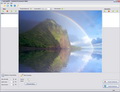
Animated Screensaver Maker le ayudará a decorar su escritorio con un número ilimitado de salvapantallas animados con efectos sorprendentes. Todo lo que necesita para crear un protector de pantalla es una foto, y esta herramienta.
Muchos constructores de protectores de pantalla le permiten crear protectores de pantalla como su fueran una presentación de diapositivas o utilizar sólo las animaciones creadas anteriormente. Sin embargo, con generador de logo animado puede crear fácilmente animaciones por sí mismo. Por ejemplo, usted puede agregar los efectos del tiempo, convertir una foto en un mundo submarino con peces en movimiento, o crear un fondo de mar.
Características:
- Muchos objetos animados como la lluvia, iluminación, peces, destellos, y así sucesivamente
- Haga su propio protector de pantalla en cuestión de segundos
- An old-fashioned slideshow screensaver mode is available
- Fácilmente hacer un protector de pantalla en formato. SCR o instalarlo en el computador directamente
- Cree protectores de pantalla de todo tipo de formatos de imagen (jpeg, bmp, tga, etc.)
- Hay muchos ejemplos y artículos relacionados (ver galería y las secciones de Preguntas Frecuentes)
The current text is the result of machine translation. You can help us improve it.
Requerimientos del Sistema:
Windows Vista/ XP/ 7
Publicado por:
DesktopPaints.comPágina Oficial:
http://www.desktoppaints.com/Tamaño del Archivo:
9.80 MB
Precio:
$ 26.77
Mejores Titulos

DP Animation Maker is powerful, easy-to-use animation software that lets you create animated backgrounds, animated gifs for websites, and other content within minutes. A unique toolset with a wide range of animations allows you to turn almost every picture into a professional-looking video.

Fill your desktop with a cool digital matrix effect. The classic background of the famous movie will bring a spirit of mystery to your computer.

A beautiful animated theme for your desktop features a clock showing the actual time.
GIVEAWAY download basket


Ofertas de hoy para iPhone »





Ofertas de hoy para Android »





Comentarios en Animated Screensaver Maker
Please add a comment explaining the reason behind your vote.
On the plus side it is free today although I would consider it far to expensive for how little it does. It can also save to a .scr format which is good. On the downside it is incredibly restricted with only six effects. It might have several animations but there really is very little that you can achieve here that you would want to keep and I haven't.
Save | Cancel
Pros:
* Smooth download, installation, activation on Vista 64-bit.
Important Note: I had to temporarily disable my anti-virus program (Norton Internet Security Suite) to complete activation process. Thought I'd share this with everyone in case you experience a similar situation.
* GUI is easy to navigate and program is easy to use.
* Allows users to add moving (40 options) and stationary (5 options) animations.
* Allows users to add their own image-imported animations.
* Allows users to add 6 different effects (underwater, water mirror, Fire, Rings on Water, Matrix Code, Glass Ball).
* Allows users to change backgrounds with support for image formats: jpeg, gif, bmp, png, tga.
* Allows users to uninstall select/specific desired screensavers created by program.
* Allows users to re-order slides as desired.
* Allows users to preview images in main window pane before finalization.
Cons:
* No Local Help File within program.
* Price is a bit more than other paid programs with similar capabilities.
Summary - program is easy to use and does as it says, producing good-quality screensavers. Thank you, GOTD & DesktopPaints.
Save | Cancel
The Matrix Code Example shows up in the small version when I click Open, but when I click Preview Screensaver to view it in fullscreen I get a black screen and then the errror message dpas.exe has stopped working and my debugger stops at ?7EF4040 ret.
The Seascape Example and The Forrest Example are really nice.
The fishes in the Aquarium Example are not enough realistic compared to the background.
The Matrix Example would be better without the photo of the two peaople.
- The program should also have the possibility to run saved scr-files.
Save | Cancel
Just tried the matrix example and had a dpas.exe error when I tried it on full screen preview, yet the mini preview was fine. Other examples worked on full screen fine.
Tried with my own image and ray of light effect caused dpas.exe error.
Good, but either buggy, or problem with my pc
Save | Cancel
Honestly, first impression is, it's fun to play with. I'm a little torn about a rating due to the fact that it's a bit less than intuitive. For example, when I go to the file drop down menu I see a choice that says "add animation", this selection appears to do nothing. Then, when I look on the right side of the screen, I see the animation box/section which does, actually work intuitively. This is also true of the "Open Image" selection in the same file dropdown.
Basically, my major problem is by having useless menu choices, it could be a bit confusing especially for a new user. Also, having useless menu choices makes it look more like a work in progress, rather than a finished product.
Bottom line, it has a couple of flaws, but then again, tell me one major software package (think most versions of Windows) that was released without some problem (if software never needed to be improved or fixed, every package would stay at version 1.0).
Comment about price being high, I don't know. I don't see a lot out there that let's you create screensavers from scratch for free, so the price is probably not too unrealistic. Not sure about 26.77, perhaps it is converted from a different currency, but I think for U.S. market it should be 24.95, or better yet, I think 19.95 would be a good price point.
Bottom line, not yet perfect, but it does work and does what it says. Choices (animations, etc) a bit limited, although lowering the price and offering "add-on packs" might be a good money-maker/initial price compromise. It's "almost" intuitive, but needs a little work. I didn't get frustrated trying to use it, and I like the results, I am giving it a thumbs-up with qualifications :-)
Save | Cancel