Cada día ofrecemos un programa licenciado GRATIS que de otra manera tendrías que comprar!
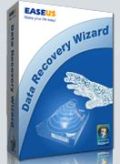
Giveaway of the day — Easeus Data Recovery Wizard 5.0.1
Easeus Data Recovery Wizard 5.0.1 estaba como Giveaway el día n 18 de noviembre de 2010

El software avanzado de recuperación de datos para hacer la recuperación archivos borrados después del vaciado de la papelera de reciclaje o los datos perdidos debido a la partición, perdida, daño o accidentes de software, virus, apagado inesperado o cualquier otra razón.
Hará un increible trabajo cuando se presenten desastres por pérdida de datos, especialmente cuando quieras recuperar datos de una unidad formateada. Data Recovery Wizard soporta hardware RAID y discos duros, unidades de USB, tarjetas SD, tarjetas de memoria, etc. Provee una recuperación completa de los datos para aquellos datos perdidos.
The current text is the result of machine translation. You can help us improve it.
Requerimientos del Sistema:
Windows 2000/XP/2003/Vista/2008/Windows 7
Publicado por:
CHENGDU YIWO Tech DevelopmentPágina Oficial:
http://www.easeus.com/datarecoverywizard/Tamaño del Archivo:
4.41 MB
Precio:
$69.95
Mejores Titulos
EASEUS Todo Backup, supporting Windows 2000/XP/Vista/Windows 7 and Windows Server 2000/2003/2008, is potent FREE backup software providing system backup & restore, hard disk or partition backup & restore, disk clone to protect your system and disk. It can back up whole PC, including the operating system plus your data, applications, settings and everything!

As Partition Magic alternative, EASEUS Partition Master freeware is an ALL-IN-ONE partition software and the most convenient hard disk partition manager toolkit including Partition Manager, Disk & Partition Copy Wizard and Partition Recovery Wizard on MBR and GUID partition table (GPT) disk under Windows 2000/XP/Vista/Windows 7 and Windows Server 2000/2003/2008 (32 bit and 64 bit).
GIVEAWAY download basket




Comentarios en Easeus Data Recovery Wizard 5.0.1
Please add a comment explaining the reason behind your vote.

Is this exactly the same as the version 5.0.1 previously on GOTD?
I will say it works in the one "real life" test I had, my uncle lost a ton of pictures on his camera (200+) when one of my cousins was playing around with his camera and somehow deleted everything. Some of the pics were some of the last taken of my mom before she passed away so it was pretty critical to me to try to get them back-- thankfully this software got about 90% of the pictures back, including all of the ones of my mom.
I'm not completely sure how the pics were deleted (if it was a format, "delete all", or what; but my uncle had even been taking new pictures not realizing they might be recoverable at first) but it DID work.
Thanks to Easeus for making this available in the past and just for it working..!

For those wondering, this version is dated 2010 March 15, and the previous Giveaway is dated 2010 February 6 - the executables are different sizes - I assume that there were a few minor bug fixes / recompile differences and ChengDu YiWo didn't feel that there was any operational change warranting a version number change.
No single unerase / file recovery application seems to catch everything, but I would recommend Easeus DRW as one of the better ones, with reasonable speed. (The really fast ones tend to miss the most files). Always recover files to a different drive, because recovering cross-linked files in place prevents recovery of the alternate version (which could actually be the correct version).
As a reminder to all, defragment your drives regularly. Recovering fragmented files is usually a futile effort.
I have run previous DRW versions as a portable program - copy the installed directory onto a USB drive and run DRW.EXE from the USB drive directory. Just make sure that the Microsoft runtime libraries shipped with DRW are found in the DRW directory to avoid conflicts with other versions on the system. Traces may get left in the registry. For those trying to save space, UPXing appears to produce a significantly smaller, issue free version. Yes, a portable install option would be nice for most users (there are times when booting a CD & recovering system files is necessary), but I am of the belief that if users want to run system utilities as a portable program, users really should know what they are doing in the first place (such power users can easily learn whether an app could be made portable).
Though there is an office file viewer, file viewing is one area where further improvements could be made. Improving a text viewer with multiple filtering options would be excellent for inspecting damaged files in general. A compressed file directory viewer would be a great help, when the file to be recovered has no identifiable name. There are picture viewers from competitors which work better with damaged / fragmented pics. Personally, I prefer more manual controls, but that makes usability difficult for most users.
Giveaway of the Day: please note that the Idea Informer widget does not accept submissions when used in certain higher security browser configurations.
Thanks Giveaway & ChengDu YiWo.
Is there any difference between today's offering and the apparently same version (Version 5.0.1) that was offered on February 16th earlier this year?
That version was excellent and performed well. It recognized all my drives on XP PRO S/P3, installed effortlessly and finds any lost or deleted files that are still on the drive.
Great program!
EASEUS Data Recovery Wizard is a [~15 MB] portable app with a couple of nice touches, but like other file recovery apps I compared it to this morning [iCare, Recuva, ADRC etc.] it goes blind with large (~4 GB) lost files, and can also get confused using either deep or quick scans. The getting confused part surprised me... I used an 8 GB USB stick to stay away from 2+ hour deep scans, deleting a 6+ GB .m2ts audio/video file (in BD format). Then I ran a quick scan with today's GOTD to make sure it worked OK with the USB stick before transferring files & testing -- EASEUS Data Recovery listed two, ~2 GB .avi files, so being curious, I went ahead & recovered one [it was physically impossible that more than 1 GB of 1 .avi file was still intact, & odds were very little if anything remained]. Instead I recovered the 1st 2 GB of the .m2ts file I'd just deleted, only named as the recovered .avi. I thought that was interesting enough to post -- since every app behaved the same, recovering the same ~2 GB file incorrectly, it shows off 1 of the limits of recovery software.
One nice touch in EASEUS Data Recovery is it doesn't list files or folders without deleted files, reducing clutter that can lead to confusion. It also remembers what it finds when you do a scan, offering to use those results (rather than a re-scan) if you re-open the app & select the same drive/partition. A 3rd feature I thought was pretty cool at 1st was the ability to create an image of a drive/partition, then mount it for scanning & recovery... it's a great idea, but it uses an odd format & you can't restore that image to another drive or partition, effectively preventing you from using something like Recuva for a 2nd opinion should EASEUS Data Recovery fail. I was a bit surprised that even their backup software would not read the format, IMHO meaning Acronis or Paragon apps are a better choice when creating a drive image for data recovery &/or forensics [just make sure to do a sector by sector image rather than just file content].
If you got iCare Data Recovery when last on GOTD you'll see the EASEUS app looks fairly similar, opening to a window where you choose which mode of recovery you'd like to launch -- Deleted File Recovery [quicker scan], Complete Recovery [deep scan], or Partition Recovery... once you make your choice I suggest heading for the Option menu where you might be able to pre-filter scan results a bit, before selecting a drive/partition & clicking Next. After a scan you'll see a file tree similar to Windows Explorer to select which file to recover, with buttons for File Preview, Search files, & Find file by name. EASEUS Data Recovery Wizard std. won't work on EXT2/3 or dynamic disks -- you'll need the pro version for that -- and it does come with a decent help file... the EASEUS site also has a "data-recovery-book" PDF for download. AS to how well it works, in my artificial tests I didn't see a big difference in the results between this & Recuva to be perfectly honest, though I like that EASEUS Data Recovery stores prior scan results & so prefer it.
That said, you don't always know the moment you delete a file that you've deleted the wrong one(s), &/or you may find some time afterward that you do need a file after all. When that happens, or when you have software or hardware problems, recovering files can be more of a challenge -- if you need or want the lost file badly enough, you'll probably run more than one recovery app if your first try doesn't get you out of trouble [I know I do]. Recovery works when the data's still stored on the drive or device, but the part that acts like a Table of Contents doesn't know exactly where it is -- that's what happens with a simple delete for example. Making it more of a challenge, files [data] are stored in small chunks that may be spread all over -- file recovery software tries to put together all (or most) of those pieces -- & since the TOC doesn't know where they are, it doesn't know to stop new data from overwriting any of them. As soon as you discover you need to recover a file or files, stop writing to that drive or device, even if it means cutting power.
From there your strategy can vary a bit... If the files are on a purely storage device/drive/partition, it's not as big a deal, as long as nothing writes there, be it software temp files or Windows' caches. If it's the system drive [the one with Windows on it], running that Windows install can overwrite your lost files, so don't -- pull the drive & connect it to another PC/laptop, OR, boot from CD/DVD/USB, then either recover the files, or make an image or clone of the drive/partition you can work with somewhere else... that way: 1) the PC/laptop can go right back to work, 2) you might be more comfortable back at your desk, &/or have better tools, hardware etc., & 3) if you're doing forensics, the original drive hasn't been touched, preserving evidence. A drive/partition image may have an edge vs. a clone, as you're probably not going to alter it at all, & so can restore it to another drive/partition as often as you need, so if file recovery fails you can try to restore tables etc. [partition, master file...] that can change things more or less permanently.
I found I have Data Recovery Wizard 'Professional' V4.3.6 from Lord knows when GOTD and Easeus offered it. Works for me. There has been a couple times I was kicking myself for emptying the trash bin and this program pulled out what I needed...
-
On their website I see the 'free' version is good for only one gigabyte of recovery. Also this 'Standard' version they are offering today vs. the 'Professional' version shows only 2 major differences and that is 'Dynamic Disk' and 'Linux File System' recovery are mentioned on the 'Professional'. - Here is a page they have showing version comparisons and many of the functions are click-able so you can learn a bit more about them.
- http://www.easeus.com/datarecoverywizard/comparison.htm -
For my simple uses (No Linux or dynamic disk) it looks like it will be worthwhile to trade in for the standard edition today. My guess is that if you have V5.0.1 already there would be no difference in what you have (no number change) and what they are offering unless you have Professional. If they had made any major changes or additions wouldn't the first change have been the number? I'm not a programmer but seems to me they use those numbers for a reason.
Ofertas de hoy para iPhone »





Ofertas de hoy para Android »





nO sabia o_o
Save | Cancel
Efectivamente, cuando se han perdido datos por haber sido borrados o formateados pero el disco duro o dispositivo funciona correctamente, es posible recuperar los datos con herramientas como la indicada, siempre teniendo cuidado al realizar el proceso, aunque lo más recomendable es hacer siempre copias de seguridad.
Save | Cancel