Cada día ofrecemos un programa licenciado GRATIS que de otra manera tendrías que comprar!
Giveaway of the day — Easy Photo Unblur 7.0
Easy Photo Unblur 7.0 estaba como Giveaway el día n 26 de mayo de 2022


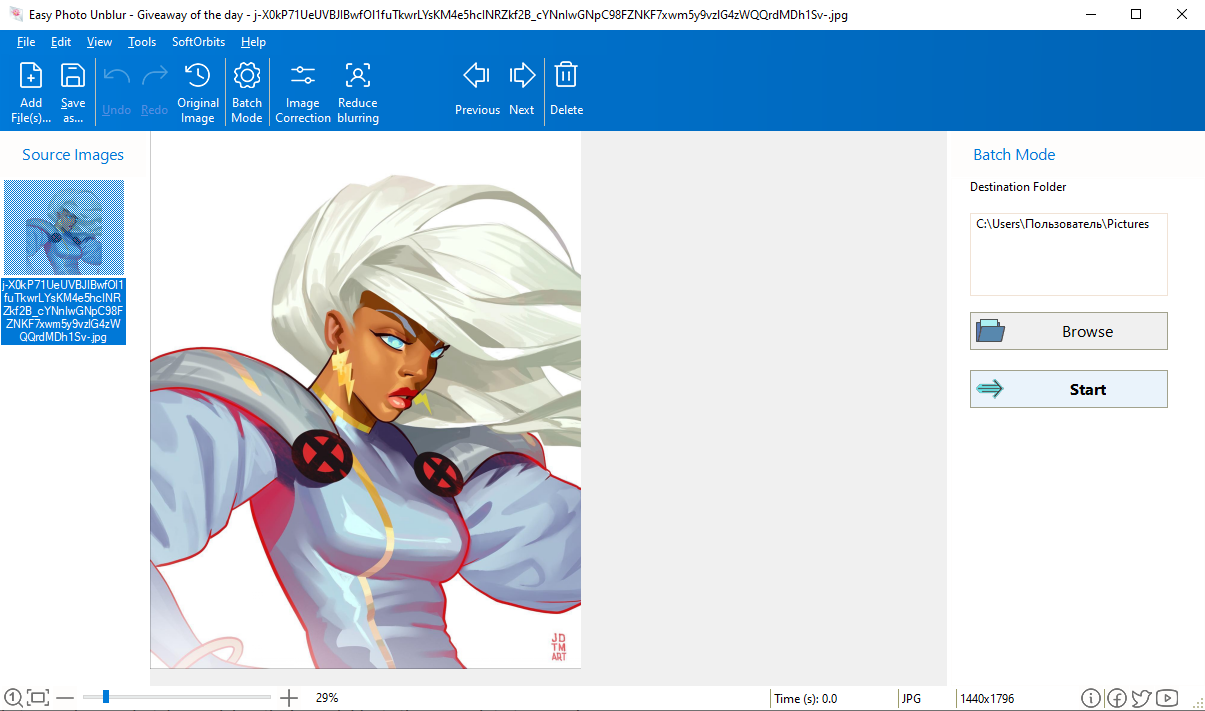
Easy Photo Unblur mejora la calidad de las tomas de la cámara al eliminar el ruido excesivo y enfocar los objetos borrosos. Hacer fotos en movimiento o en condiciones de luz desfavorables a menudo da como resultado tomas borrosas o ruidosas. Con Easy Photo Unblur, las imágenes se vuelven nítidas gracias a la optimización digital inteligente. Los algoritmos del programa desenfocan las fotos al detectar objetos mal enfocados y limpiar el ruido de manera inteligente. El programa ofrece una gama de modos de imágenes no borrosas con parámetros ajustables: suavizado de radios, detalización, procesamiento previo y posterior del ruido. Dependiendo de la intensidad del ruido, puede usar diferentes modos de imagen desenfocada para corregir el apretón de manos, el desenfoque y el desenfoque de movimiento. Esta aplicación de imágenes desenfocadas admite la optimización de imágenes por lotes que es mucho más rápida que las fotos desenfocadas una por una. Simplemente arrastre y suelte la carpeta de imágenes en la aplicación y comience a procesar. Hay muchas maneras de desenfocar una imagen, y la mayoría de ellas requieren habilidades profesionales en la edición de gráficos. Easy Photo Unblur se adapta a todos, independientemente de sus habilidades en fotografía y diseño. El programa ayuda a desenfocar una imagen utilizando mecanismos de inteligencia artificial. Es mucho más eficiente que el afilado plano utilizado en la mayoría de las soluciones alternativas. Un usuario puede obtener una vista previa del resultado y compararlo con la foto original antes de guardar los cambios.
¡Compre una licencia personal ilimitada (con soporte y actualizaciones) con un 70 % de descuento!
The current text is the result of machine translation. You can help us improve it.
Requerimientos del Sistema:
Windows 7/ 8/ 8.1/ 10/ 11
Publicado por:
SoftOrbitsPágina Oficial:
http://www.softorbits.net/unblur-photos/Tamaño del Archivo:
38.6 MB
Licence details:
6 months
Precio:
$49.99
Mejores Titulos

Sketch Drawer es un tipo de herramienta de software de edición de fotografías diseñada para convertir fotografías en bocetos a lápiz. Este programa permite a los usuarios convertir fotografías habituales en exquisitas imágenes dibujadas a lápiz, tanto en blanco y negro como en color. Al crear un boceto a lápiz, puede elegir la configuración y las opciones que prefiera. Hay dos formas de editar fotografías con SoftOrbits: manualmente y con la ayuda de ajustes preestablecidos ya preparados. Estos ajustes preestablecidos pueden usarse como guías para principiantes.
Photo Stamp Remover es una utilidad de corrección de fotografías que puede eliminar marcas de agua, sellos de fecha y otros objetos no deseados que aparecen en las fotografías. Ofreciendo un proceso totalmente automático, el programa utiliza una tecnología de restauración inteligente para llenar el área seleccionada con la textura generada a partir de los píxeles alrededor de la selección, de modo que el defecto se mezcle con el resto de la imagen de forma natural. Lo que lleva horas corregir con la herramienta de clonación, se puede lograr en un minuto usando Photo Stamp Remover.
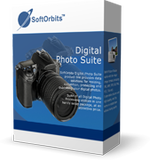
La línea de productos SoftOrbits Digital Photo Suite proporciona soluciones de datos para retocar, cambiar el tamaño, convertir, proteger y publicar sus fotos digitales.
GIVEAWAY download basket




Ofertas de hoy para iPhone »




Ofertas de hoy para Android »





Comentarios en Easy Photo Unblur 7.0
Please add a comment explaining the reason behind your vote.
When a photo is overexposed you can never make it perfect. When a photo is blurry you can never make it perfect.
When a photo has been taken with a flash you can never make it perfect, the shadows at the back are too much. A photo that is taken where light and shade are coming together does not look perfect, you can never make it perfect, whatever SoftOrbits may claim.
Why do you think photographers take several photos of a subject. They keep the good photos, the failed into the garbage bowl.
Save | Cancel
Sara Findley, FWIW, the amount of data captured is key. A photo that's over/under exposed is not a problem *If* there's enough highlight & shadow detail. If the scene has too great a dynamic range for a camera -- I *think* what you mean by light & shade -- bracket the photo & use HDR or blend in an image editor. Results using artificial lighting depend on the lighting. Even a roughly $30 [on sale] bounce flash, especially one that works with the camera's auto settings, can work just fine -- often as well as, if not better than natural light. And nowadays there's even hope for out of focus/blurry photos using AI software. Many [most?] pros feel there is nothing close to a perfect photo *until* it's been through an image editor. RE: Easy Photo Unblur, it might help, or not, depending on the photo.
Save | Cancel
There is so much talk about making photos perfect. I have used this program for a few years and have never expected perfection. I have used it to attempt to improve some of my very worst photos and have to say that in many cases there has been no improvement whatsoever. However, by fiddling with the settings I have managed to transform some really poor photos into just about acceptable ones even though they would be deemed far from perfect.
I feel that even a small improvement is better than keeping some of the really bad originals and for that reason alone I have stuck with this. My photo collection is marginally better after using the program than it was before and that is enough for me. Clearly this is insufficient for those of you who want total perfection and I can see that this program is not for you.
Save | Cancel
Thanks for a chance to check out the program.
It's a bit too slow at 45 to 60 sec per change on an Alienware M17 R3 (GPU 2070S)
Would also be great if user interface offered some guidance on expected result of a slider move.
I don't understand the preset choices light, soft, gentle, etc.
"Gentle" preset initially made the image a LOT worse in pretty much every way.
After playing with it for a while, I don't see a result that couldn't be achieved in adobe camera raw in less time.
For users without access to editing programs this could be a better than nothing choice.
But too slow for most others.
Save | Cancel