Cada día ofrecemos un programa licenciado GRATIS que de otra manera tendrías que comprar!
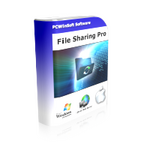
Giveaway of the day — File Sharing Pro 3.4.4
File Sharing Pro 3.4.4 estaba como Giveaway el día n 17 de abril de 2022

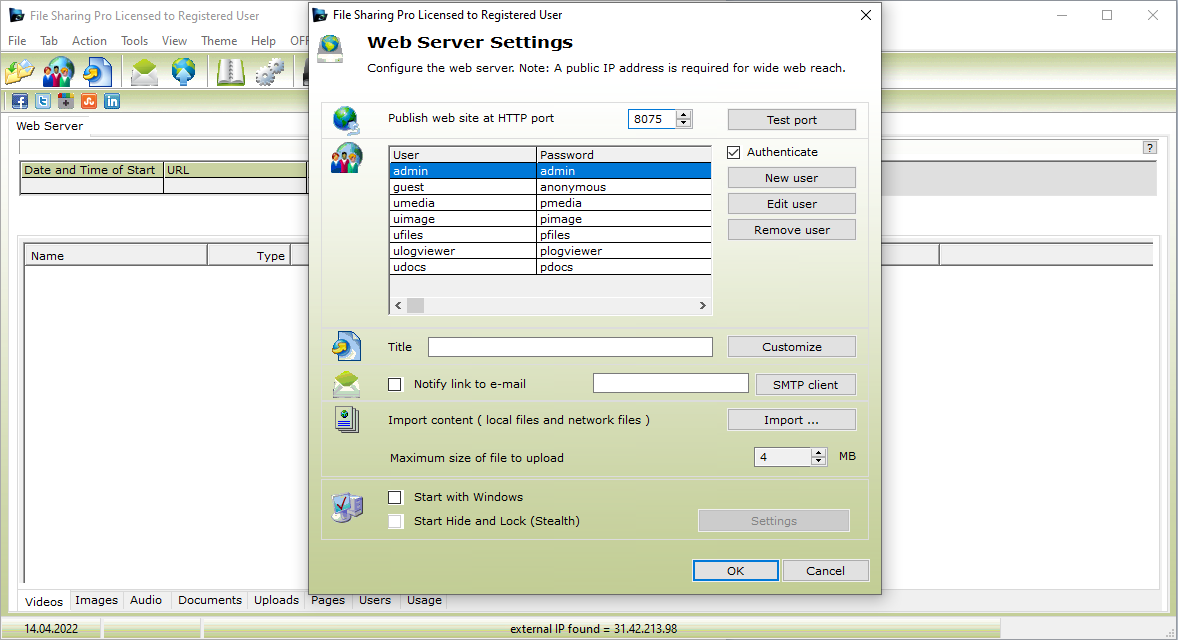

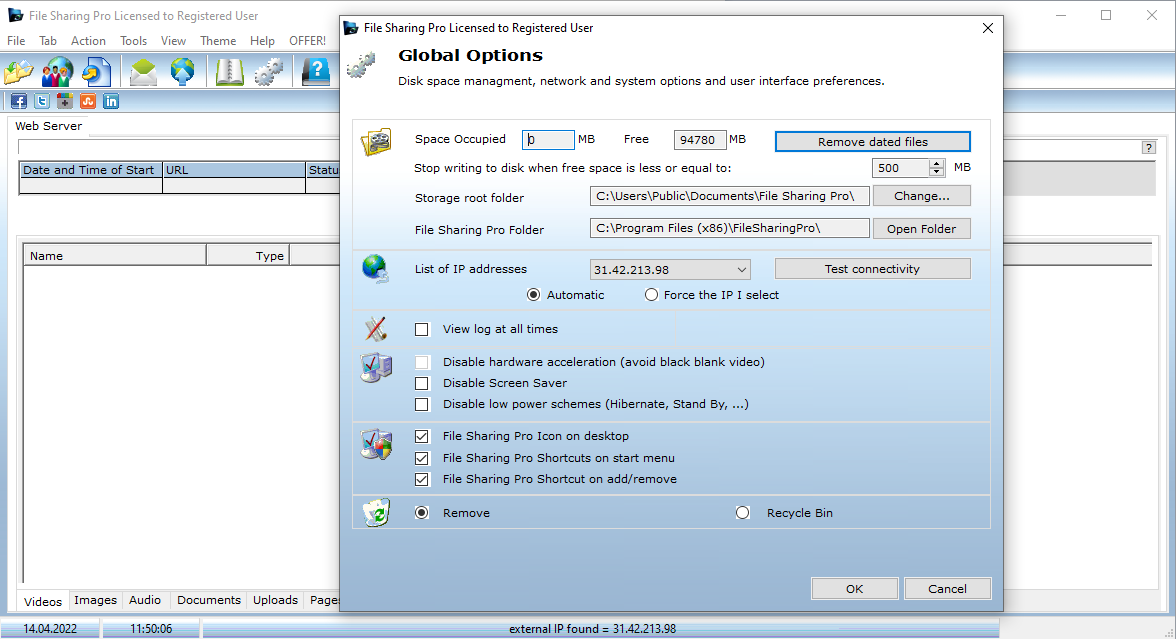
File Sharing Pro es un software seguro para compartir archivos que utiliza la seguridad de uso compartido de archivos del sistema operativo nativo y un servidor web profesional para que pueda compartir sus archivos de forma segura utilizando cualquier navegador web en cualquier dispositivo. El único requisito de la aplicación para compartir archivos File Sharing Pro es que configure un reenvío de puerto en su enrutador. Después de eso, estará listo para compartir documentos, fotos, videos y música de forma segura a través de Internet con sus contactos. File Sharing Pro Windows File Server y Mac File Server publican un sitio web seguro al que los usuarios pueden conectarse usando cualquier dispositivo y cualquier navegador web. Después de iniciar sesión correctamente, los usuarios pueden buscar y descargar imágenes, videos, música y documentos, además de que los usuarios pueden cargar archivos. File Sharing Pro admite archivos de gran tamaño tanto para descargar como para cargar. Con File Sharing Pro, no hay terceros involucrados ni problemas de privacidad. Si desea mantener la privacidad de los archivos confidenciales, File Sharing Pro es su solución económica de software para compartir archivos. Características principales: 1. Servidor web profesional que funciona con autenticación de seguridad del sistema operativo para publicar y proteger sus archivos. 2. Interfaz de usuario fácil de usar. 3. Soporte de servidor web para más de 100 tipos mime. 4. Soporte para archivos grandes. 5. Soporte para la carga de archivos del cliente. Funciones adicionales: 1. Capacidad para asignar las páginas que un usuario puede visitar. 2. Capacidad para compartir archivos ejecutables. Si está buscando compartir archivos a través de Internet con total seguridad a través de un navegador normal, File Sharing Pro es sin duda la mejor opción que tiene, especialmente en este rango de precios.
The current text is the result of machine translation. You can help us improve it.
Requerimientos del Sistema:
Windows XP/ Vista/ 7/ 8/ 10/ 11
Publicado por:
PCWinSoftPágina Oficial:
https://www.pcwinsoft.com/secure-file-sharing.aspTamaño del Archivo:
4.6 MB
Licence details:
Lifetime
Precio:
$39.90
GIVEAWAY download basket




Ofertas de hoy para iPhone »





Ofertas de hoy para Android »





Comentarios en File Sharing Pro 3.4.4
Please add a comment explaining the reason behind your vote.
There are free file transfer services (such as WeTransfer) that do not require open/manipulated ports to do this. I'd be leery of what could come allowing ports to be changed.
Save | Cancel
To Hott, regarding the risk of an open port.
In theory, this is the only program responding to the open port, and it's hard-coded, no HTML engine, so it can't 'run' anything sent to it from anywhere.
However, malware might scan for open ports and use the open port, so there's that.
.
Save | Cancel
Hints:
- Ignore requests to shut down other running programs during installation.
- run FileSharingPro as administrator to access all options.
- Search [ F1 ] in it's help INDEX for the word "router",
to get a link to an external non-PCWinsoft web page
to learn how to turn on your router's port forwarding,
I dunno what port to open,
FileSharingPro doesn't;t say,
the website presumes Xbox 3074,
I used 8075 instead, because ... see below.
- the help system believes this is 1AVshare,
FileSharingPro is probably a breakout subset of 1AVShare,
some help pages are missing,
few illustrations correspond to this program.
- Your external address to share and browse to using any browser is
[ http://[your external IP address]:8075/ ]
sort of, see the [ Pages ] tab at the bottom of the program
to see the REAL web addresses to go to to see our shared stuff:
[ http://[your external IP address]:8075/video.htm ]
for example.
- The program COPIES files, one at a time, to
[ C:\Users\Public\Documents\File Sharing Pro\publish ]
to share them,
NOT into Video, Images, Audio, and Documents folders.
- the program is in
[ C:\Program Files (x86)\FileSharingPro\ ]
- I could not find any place where it stores user preferences,
if anyone finds where, please tell us.
- I copied a video using the program.
- I also created some stuff manually using Windows File Explorer,
I dragged and dropped a SHORTCUT of my "archives" folder to
[ C:\Users\Public\Documents\File Sharing Pro\publish ],
and I created a new folder there,
and I created a text file using Windows File Explorer,
just to see what gets shared.
and I restarted the program,
and the program itself saw my manually-created shortcut, folder, and text file,
but they were not visible when accessing the FileSharingPro service over the web,
oh well, that's a deal-breaker for me.
- See [ Action ], [ Web Server ], [ Authentication ]
to see passwords to sign in as when browsing to our web server.
- remember to START the web server each time when starting the program.
- I got a black screen with nothing when browsing to
[ http://[my external IP address]:8075/ ]
or to my sample [ ...video.htm ] page
- tap [ Ctrl ][ A ] to highlight everything on the webpage,
and I then saw the video file, black-on-black,
but I could not see anything I manually created,
I could not see my manually created folder
or test document or shortcut.
- go to [ Action ], [ Web Server ], [ Customization ]
to change the all 6 background colors [ ! ] from black to white,
you can click on the sample mini page to find all the black backgrounds,
double click on anything black to toggle the selection from text to background,
remember to click [ > ] to restart the webserver if not started yet,
remember to refresh the page in a web browser to see changes.
- nothing pops up to identify the meaning of icons inside the program
when hovering over them with the mouse pointer,
but see the status bar at the bottom of the window instead.
- it suggests we can edit the links but nothing happened when I tried.
- some tests will not work until the web server is started
( and you started the program as administrator, remember ? ).
- I have no idea what the FTP client in this does,
browsing to [ ftp://[your IP address]:8075/ ]
accomplished endless wait at a blank screen,
does this FTP to other sites, unrelated to it's own web service?
- some menu items seem to do nothing, such as
[ Help ], [ Auxiliary Downlaods ].
but [ Help ], [ Auxiliary Downlaods ... ] ( another menu item )
does open their web page ... to an invalid link.
Conclusion:
This seems OK, but quirky, for sharing COPIES of stuff,
but not for sharing the actual stuff,
especially not for easily providing access to large quantities of stuff.
Why a black-on-black screen?
Why no share of manually created items?
Perhaps the vendor plans a more sophisticated web service file-sharing program, I dunno.
But this looks like a break-out of just the web server from their 1AVCenter all-in-one software.
So maybe this is it, web server wise, from PCWinsoft.
Thanks for letting us explore this and share.
.
Save | Cancel