Cada día ofrecemos un programa licenciado GRATIS que de otra manera tendrías que comprar!
Giveaway of the day — HSLAB Sys Monitor
HSLAB Sys Monitor estaba como Giveaway el día n 2 de abril de 2009

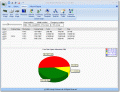
HSLAB Sys Monitor es una herramienta de monitoreo y control de estadísticas que te permite mantener un ojo en en valor específico del sistema. Puedes escoger entre CPU, memoria, conexiones de red, tráfico, espacio en disco, usuarios conectados, y demás.Puedes monitorear sólo un control a la vez, pero puedes cambiarlos fácilmente cuando lo necesites. El pequeño display puede ser ubicado en cualquier parte de tu pantalla ya que utiliza muy poco espacio en el escritorio.
The current text is the result of machine translation. You can help us improve it.
Requerimientos del Sistema:
Microsoft Windows 2000/XP/2003/Vista/2008; local area network (or dial up connection) to Internet and TCP/IP is not required but recommended; 2 Mbytes for the program and minimum of 3 Mbytes for installation; screen resolution 640 x 480 (with any color depth), 1024 x 768 x 16-bit color recommended.
Publicado por:
Handy Software LabPágina Oficial:
http://www.sys-monitoring.com/products/sm/hslab-system-monitor.phpTamaño del Archivo:
4.37 MB
Precio:
$31.62
Mejores Titulos
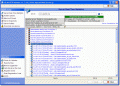
With HSLAB HTTP Monitor, administrators always know who is currently connected, server operations distribution, amount of bandwidth being consumed, and number of server requests per unit of time. Since software is server independent, server running on Apache may be located thousands of miles away from where program is installed. Software shows all virtual servers being hosted, statistics for them, and what files or documents are being accessed.
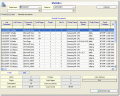
The Print Logger software is intended for a print management for printers at print server, based on Windows 2000/XP/2003/2008/7. The program inspects the print jobs on a computer, where Print Logger is installed. Main function of the program - collection of the information about sizes (in pages) of local print jobs and record it to the database for the creation reports or subsequent analysis about printing activity.
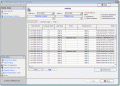
HSLAB Access Control – is a powerful and flexible system for the control of the employees working hours usage in a network or on a terminal server. HSLAB Access Control is the tool for the network administrators, created for corporate level networks and intended to increase economy of computer resources and financial resources, directed on wages.
Ofertas de hoy para iPhone »





Ofertas de hoy para Android »





Comentarios en HSLAB Sys Monitor
Please add a comment explaining the reason behind your vote.
@6 Ken - Please don't leave it at "There are free ones out there that do more than this one"
This is an "empty comment".
Please add to a comment like this - include the names and download website of these "Free and better" programs - perhaps with a comment on exactly how the free products are better.
Depending on "how much better" the free products are - the $31 price may well be unrealistic - but without knowing what you are comparing it to - a claim against price is pointless.
(Note ken - this isn't directed towards only you - but lots of others who simply say "X is better" without saying how or why)
Save | Cancel
BEWARE : just after the installation, the program asks the user to chose a theme for the interface. I choosed the white one. Immediately after that my monitor settings were changed (!?!)? That's an inacceptable behaviour!
I'm really mad about software developpers incapable of coding properly their applications and proposing half-backed products.
Thinking this software is supposed to be sold 31$...
Save | Cancel
If the people who rate this product, would also explain why they rated the product good or bad, that would be awesome... Cause rating it this bad without any comment whatsoever is just stupid.
Save | Cancel
@10 - I also use many of the sysinternals tools regularly - to compare this with Process Explorer isn't really comparing apples with apples.
Whereas Process Explorer obviously has a focus on managing processes and displaying that information, HSLAB Sys Monitor will also monitor disk space and network connections & stats. When a user defined threshold is exceeded a visible alert and/or sound can play. This is not even close to what Process Explorer is designed for, which is like a Task Manager on Steroids.
To be honest - I'm still not at all impressed by HSLAB Sys Monitor. I've found that over time, the options screens (with the ribbon bar along the top) becomes unresponsive - and eventually the lower detail part of the screen ceases to repaint - and then the ribbon menu bar no longer responds to mouse clicks. After a restart - the options window no longer displays at all - the program crashes with an error - Invalid XML Element.
I guess I broke it. I think it might be the "Save Settings" button that toasted its own config. An uninstall followed by a reinstall should fix it - but I think I'll be skipping the reinstall part.
HSLAB Sys Monitor feels like it needs more work before it is rock solid. Secondly a little more flexibility in setting the alerts, and the ability to monitor more than one item at a time would be an obvious improvement.
For real monitoring - Windows Perfmon (Perfmon.exe or Perfmon.msc) allows you to monitor just about anything running on your system - and further more, when a threshold is exceeded you can have windows perform an action (an Alert) - literally anything from displaying a message, to running a user defined command/program. But Perfmon is likely to confuse the 'casual' user.
For someone who just wants something configurable, simple (and stable) http://www.winbar.nl/ is a freeware alternative that is worth investigating. (I don't know if it is still being added to - I'm running the version 1.2.95 beta from Christmas Eve 2002 - it has been a long time between updates).
Almost as long since an update - (July 25, 2003) is StatBar http://www.statbar.nl/ (very similar to WinBar). I like StatBar more than WinBar because the UI is smarter. Little things like you can open a drive in Explorer from the drive usage window - which is impossible in WinBar. Also the ruler to check you have enough 'pixels' to fit more info across the bar.
For monitoring a large range of counters in a floating toolbar - Moo0 System Monitor lets you keep watch over 30 kinds of counters like not only the usual CPU, Memory, Network, and HDD but as of the most recent review - CPU Temperature for "recent Intel CPUs". http://www.moo0.com/software/SystemMonitor
But to monitor CPU Temps - I've always run CoreTemp http://www.alcpu.com/CoreTemp/ (which was mentioned earlier). This will monitor both Intel and AMD CPUs or else I usually go by the rule - if you can smell smoke, your PC is probably getting too warm. ;)
Save | Cancel
Good:- Smooth and simple installation.- A small window showing summary of selected process.- Very user friendly and easy to understand interface.- Easy to access features.Awesome:Showing statistics about connected computers and other network connections, so that we can be aware of any connections made to our machines on the fly.
A little bad:
- Its toolbar is little weird because of large icons along with text captions, and half of the caption is not visible properly and you can't read directly what that icon means. However if you place our mouse over that icon, a pop up description would show you about that.- While playing with the toolbar options like "place it below ribbon" or "Customize toolbar", it hanged and crashed two times.:( (I have XP + SP3)
Overall, its a very good and informative tool. :)
Save | Cancel