Cada día ofrecemos un programa licenciado GRATIS que de otra manera tendrías que comprar!
Giveaway of the day — Paragon Total Defrag 2010 Special Edition (English Version)
Paragon Total Defrag 2010 Special Edition (English Version) estaba como Giveaway el día n 19 de noviembre de 2009

El sistema de archivo comienza con la totalidad o la mayoría de sus archivos contiguos, y se vuelve más y más fragmentado como consecuencia de la creación y eliminación de archivos con el tiempo. Así, los archivos y sus partes se extienden por todo el disco duro, seguido a los retrasos en el trabajo del disco duro, reduciendo aún más el rendimiento. Defrag Total 2010 es un producto nuevo y amplio para el conjunto del sistema de archivos de desfragmentación y optimización. Construido sobre las tecnologías original Paragon, realiza una desfragmentación completa de bajo nivel que proporciona una desfragmentación casi de nivel cero!
Este programa te permite:
- Realiza una desfragmentación completa de bajo nivel que proporciona una desfragmentación casi de nivel cero.
- Speed up and optimize all critical system files and metadata including MFT (Master File Table), directories, paging files, registry hives and others.
- Utilice optimización 9 del sistema de archivos Strategies.
- Utilice uno de los 2 modos disponibles para la desfragmentación: rápidos o seguros. Modo seguro es más lento, pero que protege sus datos en caso de un fallo de alimentación durante defragmentation.
- Read More
Limitaciones: Special Edition no tiene soporte para 64-bit.
Soporte Técnico:
Durante el Periodo de Giveaway, Paragon Software proveerá soporte técnico en http://twitter.com/paragonsoftware. Por favor, envía tus preguntas tu tienes cualquier duda o inquietud durante la descarga, el registro o uso del programa. El equipo de soporte de Paragon Software te responderá lo más pronto posible.
The current text is the result of machine translation. You can help us improve it.
Requerimientos del Sistema:
Windows 7 (x32) / Vista (x32) / 2000 Professional / XP Home Edition / XP Professional; 300 MHz or higher; RAM 128 MB; (256 MB or greater recommended); Disk space: 20 Mb; Internet Explorer 5.0 or higher
Publicado por:
Paragon SoftwarePágina Oficial:
http://www.paragon-software.com/home/total-defrag/Tamaño del Archivo:
87.1 MB
Precio:
$29.95
Mejores Titulos
Take complete control of your PC’s safety. Based on solid commercial backup and recovery software from Paragon, the new Backup & Recovery 10 Free Edition will give you a rich set of features that you can trust. Smart people backup; Backup & Recovery is a smart backup.
Ofertas de hoy para iPhone »





Ofertas de hoy para Android »





Comentarios en Paragon Total Defrag 2010 Special Edition (English Version)
Please add a comment explaining the reason behind your vote.
@Ashraf Why would anyone want to defrag a flash drive? There's no mechanical drive head that needs to move around the platter(s) - there aren't any - and data are accessed electronically. Anyone trying to sell you a defragger for flash drives speculates on your lack of knowledge. These programs are not only an utter waste of money and disk space they even shorten the lifetime of your flash drive.
Save | Cancel
Ignore Ashraf's "review", defragmenting is a technical issue. I strongly recommend against installing or using Paragon Total Defrag, I won't be testing it because I looked at the information on their website.
Issues with defragmenting:
Is it necessary? Depends. File fragmentation generally doesn't matter a lot, although heavy fragmentation of frequently-used files or the particular files that you're using can impact performance. Pagefile fragmentation can slow your PC to a crawl.
Is there an advantage in using a third-party defragmenter on Vista and higher? Well, I haven't used the Vista defragmenter, but as far as I know, it's OK, not great. You'll still need to use other software to defragment your system files, particularly the pagefile. Pre-Vista, use something decent, not the Windows defragmenter.
Do file optimization strategies matter? Depends. Generally, on Vista and higher, not much, as multiple running tasks tend to randomize disk access. The beginning (outer) tracks of non-RAID disks are generally faster, so moving files there can help a lot if there's a lot of free space on the disk. Some optimization strategies are designed to improve the performance of subsequent defragmentations.
What should I look for in a defragmenter? First and foremost, safety. Paragon immediately fails because it offers an unsafe mode. All decent defragmenters use the Windows defragmentation API. Part of safety involves knowing what files not to move, and having solid code. Well-established commercial defragmenters excel there. Optimization strategies can matter, mostly to speed up subsequent defrags. The ability to fully defragment the disk, including system files. While some system files like the pagefile can only be defragmented while Windows isn't running, Paragon fails because their website says that it won't defragment system volumes at all while Windows is running. Scheduling and the ability to defragment multiple volumes is necessary, which again, Paragon fails. Using a boot disk to defragment is also a fail. Decent defragmenters can defragment system files after Windows loads its drivers but before starting Windows itself.
What do I need to do to fully defragment my volumes? On Vista (and probably Windows 7), you'll need to set it to not delete the pagefiles on shutdown (the pagefiles can't be defragmented if they don't exist), and you should use fixed-size pagefiles, as dynamic pagefiles will fragment at runtime. The pagefile deletion is a "security" feature, but that's a joke, because it's simply marked deleted, not overwritten. Windows itself tracks and occasionally places and defragments boot files (those used shortly after Windows starts). Decent defragmenters will cooperate with Windows on those. Even on NTFS volumes, you should run a disk check before defragmenting. Vista only allows a single volume to be scheduled, and on my PC, it isn't releasing the volume, so I can't also schedule a boot-time defrag. Actually, I only run a disk check if there was a crash; Vista maintains volume integrity during normal operation. The security descriptors can get all messed up by a crash, so I recommend doing a disk check as soon as possible.
Can I defragment external drives? That primarily depends upon the external drive hardware. Some allow it, some don't.
Should I defragment RAID volumes? With RAID, at least the higher levels, the files are scattered (physically fragmented in large blocks) anyway, but defragmenting cleans up the Windows file tables, which may help slightly.
What defragmenters are available? Lots. Personally, I use Raxco PerfectDisk Professional. The defragmentation itself is solid, it was the first to fully defragment the entire volume (by many years), it has a good optimization strategy, no volume size limits, it's been the first to obtain Microsoft certification in recent years, and doesn't have a reputation for bad coding like some others. Having said that, it's certainly not flawless. I don't know if they ever fixed the idle-time (automatic) scheduling, but that never worked when I tried it. Free-space consolidation doesn't work very well on Vista because so much disk writing is going on all the time, at least on my system. The UI has some minor problems. You can try others, like Diskeeper, but PerfectDisk had several features many years before Diskeeper, some Diskeeper versions had bad coding, and I think that their essentially continuous defragmentation defeats some of the purpose of defragmenting in the first place, which is to improve performance (it has to have some performance impact). In terms of freeware, people often mention MyDefrag, but if you check the version history, it has an astounding number of bugs. For defragmenting the pagefile(s), you can use PageDefrag.
#15, oblivion, Windows adjusts the size of the MFT as needed.
Save | Cancel
The Good
* Straightforward and fairly easy to use.
* Allows for defrag and compacting of MFT along with the norm disk defrag.
* Gives users the option to select how to order files/directories.
* Supports internal and external (USB/Firewire) hard drives.
* Can create a bootable CD/DVD or USB/flash drive for defraging without loading Windows.
* Ability to automatically shutdown computer after defrag has finished.
The Bad
* Total Defrag 2010 does have 64-bit support, but today's giveaway of Special Edition does not support 64-bit.
* Huge file size (~75 MB)!
* Lacks any sort of automatic defrag feature (no scheduler or anything similar).
* Does not support USB/flash drive defrag.
* Can only defrag one partition at a time.
Free Alternatives
Auslogics Defrag
Defraggler
IObit Smart Defrag
MyDefrag
For final verdict, recommendations, and full review please click here.
Save | Cancel
3#Mike.
Windows Defrag tool never move the metafiles like Total Defrag does. It leaves used system files (open files) intact and moves only those that are not locked. So the defragmentation is done for 50 - 70% only.
And TD2010 provides 99% defrag results.
Save | Cancel
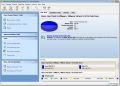
In previous incarnations of WIndows, I could see a drive map, which changed as defragmentation progressed. I don't see that in Vista, and so have no idea if defragmentation has minutes or hours still to run! This program's screenshots does show a drive map, so for me that's a good plus point.
I am concerned however that support - should I choose to purchase - requires creating accounts, remembering "ticket" numbers and all that neausea.
I wasn't even able to report a simple web page error just now - on page http://www.paragon-software.com/home/total-defrag/screenshots.html - the alert box asks "Are you shure?". I wanted to help by reporting that, but I'm not wasting time on such a simple process. So I will pass on this giveaway and go for one of the alternates. Thanks anyway.
Save | Cancel