Español
Cada día ofrecemos un programa licenciado GRATIS que de otra manera tendrías que comprar!

$39.95
EXPIRÓ
Giveaway of the day — Phototheca Pro 2.9.0.2
Ver, ordenar y organizar fotos y videos digitales.
$39.95
EXPIRÓ
Votación de Usuario:
67
Déjanos un Comentario
Phototheca Pro 2.9.0.2 estaba como Giveaway el día n 4 de abril de 2019
Hoy en Giveaway of the Day

¡Deja que BeeConverter dote de vitalidad a tu vídeo!
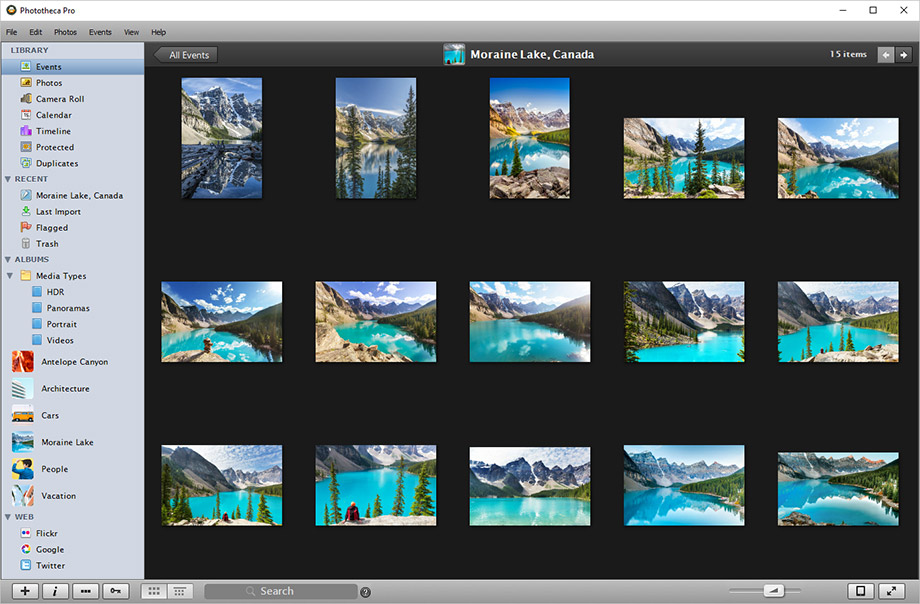
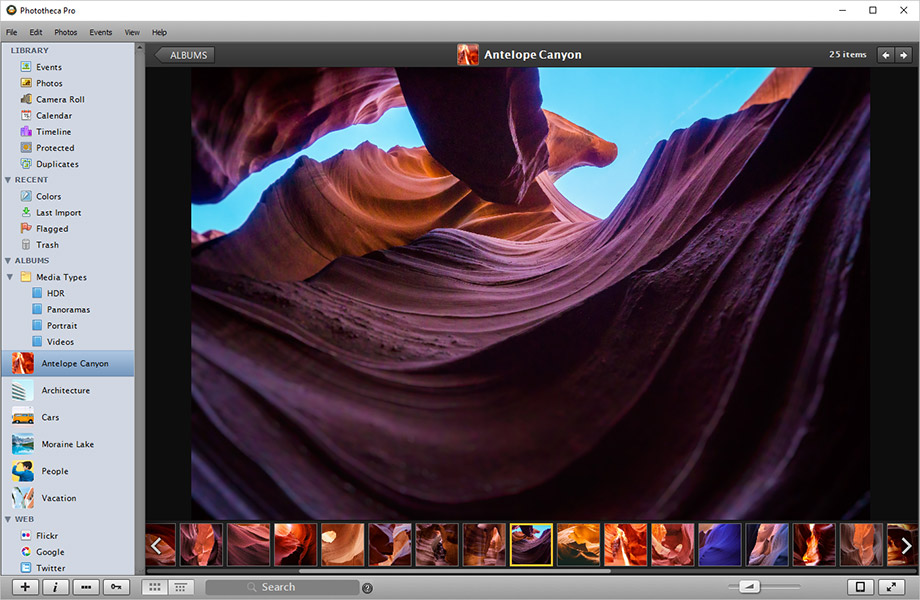
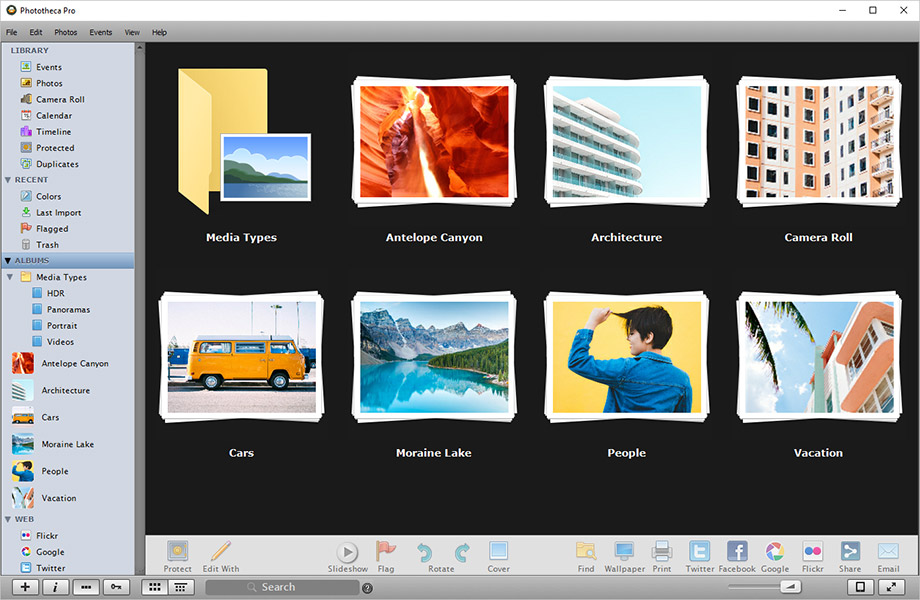
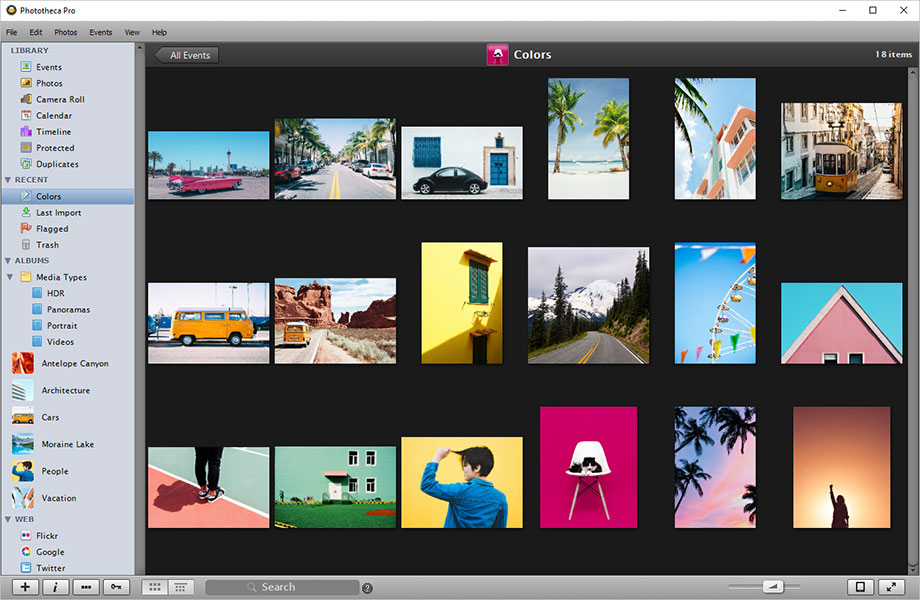

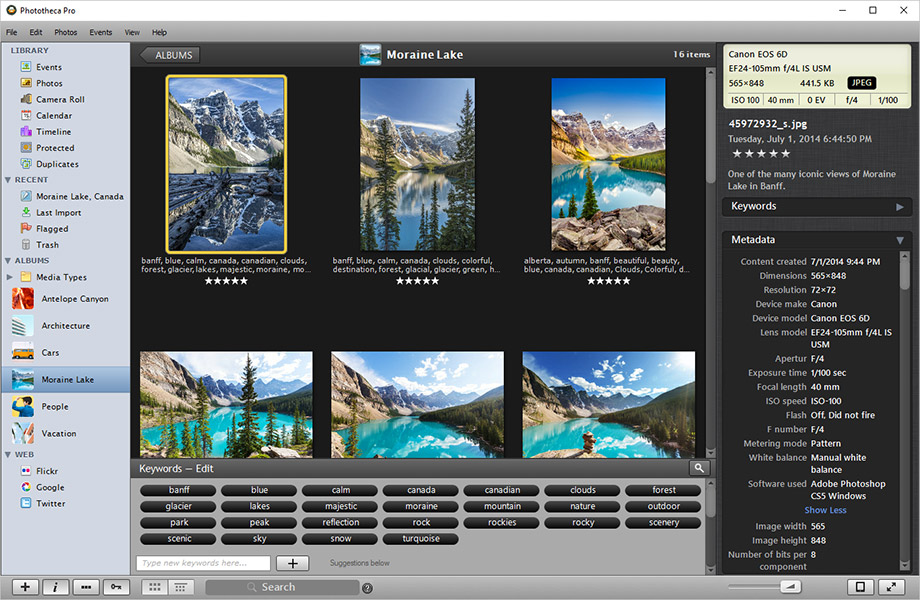
Phototheca es el hogar de tus recuerdos digitales. Esta aplicación organizadora de Lunarship Software facilita la visualización, clasificación y organización de miles de fotos y videos digitales. Importe imágenes desde cámaras, tarjetas de memoria, discos duros, redes compartidas y dispositivos iOS. Etiqueta fotos y videos con palabras clave, organiza en álbumes, elimina duplicados y comparte en redes sociales con un solo clic.
Highlights:
- Soporte para formatos RAW y de video;
- Comparta fotos en Facebook, Flickr, Fotos de Google (Álbumes web de Picasa) y Twitter;
- Etiqueta fotos y videos con palabras clave;
- Búsqueda instantánea en la biblioteca;
- Rastreo y actualización automática de imágenes desde ubicaciones especificadas;
- Detección y eliminación de duplicados;
- Smart Abums que funcionan como consultas de búsqueda guardadas;
- cajas de seguridad protegidas por contraseña;
- UI limpia y optimizada con vista de alta resolución y doble monitor;
- Diseñado para mouse, teclado y toque.
en un solo clic.
The current text is the result of machine translation. You can help us improve it.
Requerimientos del Sistema:
Windows Vista/ 7/ 8/ 8.1/ 10
Publicado por:
Lunarship SoftwarePágina Oficial:
https://lunarship.com/Tamaño del Archivo:
28.4 MB
Precio:
$39.95
GIVEAWAY download basket

Developed by CyberLink Corp.

Developed by PhotoInstrument

Create, manage, copy and edit custom images.

Developed by Mirillis Ltd.
Ofertas de hoy para iPhone »

$0.99 ➞ gratis hoy

For those of us who can appreciate weird and funny drawings, these stickers can’t fail to fascinate.
$0.99 ➞ gratis hoy

enhanceAI will vastly improve less-than-ideal images and add incredible detail with our optional Super Resolution.
$2.99 ➞ gratis hoy

$1.99 ➞ gratis hoy

Om Namah Shivay. You can listen to Om Namah Shivay aarti dedicated to Lord Shiva with this app.
$2.99 ➞ gratis hoy
Ofertas de hoy para Android »

$6.99 ➞ gratis hoy

Blur Photo is the perfect censor photo app for blur background and picture blur.
$2.99 ➞ gratis hoy

The global bass booster and the equalizer enhances the sound quality of your Android device.
$1.99 ➞ gratis hoy

Want to get experience and emotion from driving a real city train in the metro simulator?
$0.99 ➞ gratis hoy

An alien ship has taken possession of multiple cities on planet earth, deploying countless robots.
$2.99 ➞ gratis hoy
Comentarios en Phototheca Pro 2.9.0.2
Please add a comment explaining the reason behind your vote.
Interesting looking program--looks at least in the photos--like a knockoff of Apple iPhoto.
Before I even try this, a few qualifying questions. As a Lightroom Classic CC user with several hundred thousand images, I don't want multiple copies of my raw images, and I also don't want to start keywording from scratch again. So: 1) does this index the files where they are already located on the system, or does it require import into its own storage system? Does it use the data in the LR sidecar files (which can be shared by other programs, e.g., On1 PhotoRaw.
Why do I need this if I use LR Classic CC? The reason is that LR, while allowing easy and pretty full featured editing of files, in many cases so I don't need to use Photoshop, it can also be slow to work with from a browser standpoint, and limited from a search standpoint, at least for my needs. I've looked at (and even bought) many potential replacements for it...including On1 and Luminar. But nothing has managed to replace it for me. The workflow on editing non-destructively is second to none IMHO, even though it doesn't go as far, editing wise, as some of the alternatives.
Save | Cancel
Neil, Phototheca does not move or copy your photos it only catalogs them and you can decide where to catalog them, and change where this info is stored instantly it defaults to Pictures but can be wherever you want.
I have been testing on a folder of 18,000 photos for a little while (not purchased yet, but soon will) I also have used Luminar 3, but find it too slow to organize nearly 200,000 photos, but I do use Luminar to edit. (Have not used LR since ver. 4)
Oh yeah, Phototheca finds and lists all your duplicate photos and allows you to delete those from its catalog but does not delete them from your originals, I find this very useful.
Please try this free today, I think you will be very surprised.
Save | Cancel
Neil,
Let me answer your questions
1) As it stated in their Wiki: https://lunarship.com/wiki/2019/02/09/where-are-photos-placed-after-import-does-phototheca-create-copies-or-move-imported-photos-how-to-get-photos-back-from-phototheca/
this software does not copy or move images into own store, so it just index files.
2) As they state in News section https://lunarship.com/news.html
this software has feature:
"• Read XMP sidecar files of RAW photos to get keywords and descriptions into Phototheca"
So basically, it's yes to both questions. This looks as quite intelligent software that does things in the right way.
Save | Cancel