Cada día ofrecemos un programa licenciado GRATIS que de otra manera tendrías que comprar!
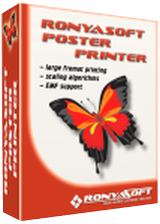
Giveaway of the day — RonyaSoft Poster Printer 3.02
RonyaSoft Poster Printer 3.02 estaba como Giveaway el día n 12 de febrero de 2016

Software de impresión para imprimir grandes carteles, pancartas, carteles, murales. Puede imprimir carteles de hasta mapas 10x10 mts en varias hojas de papel. Sólo tienes que seleccionar cualquier imagen o foto, especificar el tamaño, elegir cualquier impresora disponible y el software hará el resto por ti. Alternativamente, puedes copiar y pegar textos y gráficos desde aplicaciones de Microsoft Word / Excel. Con Poster Printer RonyaSoft puedes imprimir grandes carteles en pocos minutos!
The current text is the result of machine translation. You can help us improve it.
Requerimientos del Sistema:
Windows XP/ Vista/ 7/ 8/10 (x32/x64); Processor: Pentium III 1500; Memory: RAM 512 MB; Hard disk space: 100 MB
Publicado por:
RonyaSoftPágina Oficial:
http://www.ronyasoft.com/products/proposter/en/Tamaño del Archivo:
7.7 MB
Precio:
$19.95
Mejores Titulos
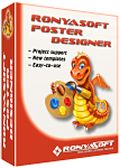
Easy-to-use Graphic Editor for making posters, banners, certificates and signs. Huge collection of predesigned templates is included: Funny, Wanted, Film, Motivational, Birthday, Sale, Party, Kids, Scientific, Eco and others. Forget about professional and costly designers. Create and print posters and banners by yourself! Please, use coupon code GIVEAWAYOFTHEDAY to get 50% discount on Poster Designer during GiveAway of Poster Printer.
Ofertas de hoy para iPhone »



Ofertas de hoy para Android »





Comentarios en RonyaSoft Poster Printer 3.02
Please add a comment explaining the reason behind your vote.
Easy Install on Win7 64. Once installed, run the Activate.exe and you're done. Just don't try to add text to your posters. For that you need to buy Poster Designer for 29.95. Nice trick. Well, I guess everyone wants to make a buck, but useless to me without text ability. I'll keep running Bannermania in compatibility mode for free :))
Save | Cancel
McG
My humble suggestion for workaround:
Add text to image in any image editing software and you are done !
Save | Cancel
Two free alternatives:
- Rasterbator
- PosteRazor
Save | Cancel
Please could somebody post the Reg Key? I can't find it cry emoticon
I have been battling with registrations and extracting some GOTD for quite some time, so have missed out on a good few. So frustrating. Thanks in advance.
Save | Cancel
Moira
In other words .... "READ the instruction file"
Save | Cancel
Installed on Windows 7 Ultimate with no problems.
I printed out 2 photos in A1 format using A4 printer.'
The result was very good.
The app does what the provider says.
Make it portable!
Thanks Ronya and GOTD, I will keep it.
Save | Cancel
Hi all did and followed instructions but still wants reg code so not registered and this post will probally be deleted as none of my post get put up and never any help to fix problems. I know its free and GOTD do a great job, but once installed keeps asking for reg code
Save | Cancel
mick
Did you double click on the "Activate.exe" file BEFORE opening the program? reboot and try again etc?
Save | Cancel