Cada día ofrecemos un programa licenciado GRATIS que de otra manera tendrías que comprar!
Giveaway of the day — Smart Audio Editor
Smart Audio Editor estaba como Giveaway el día n 17 de junio de 2009

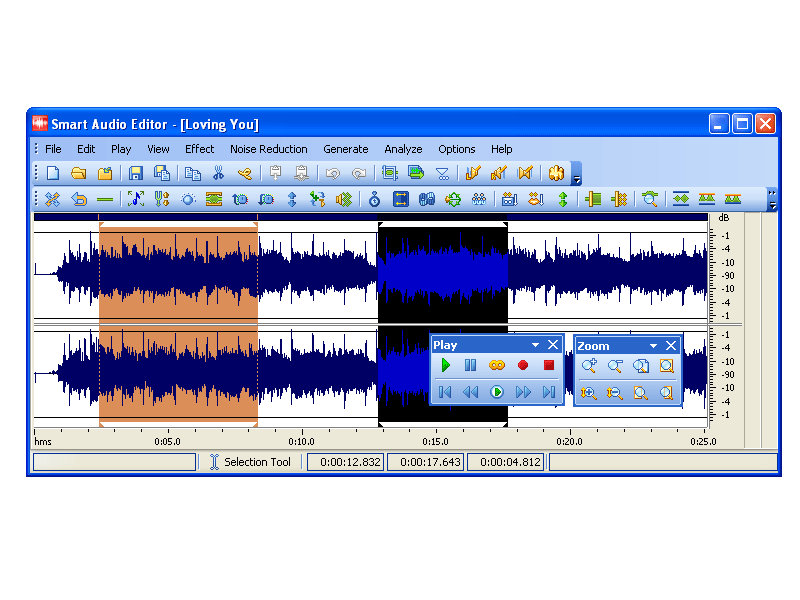
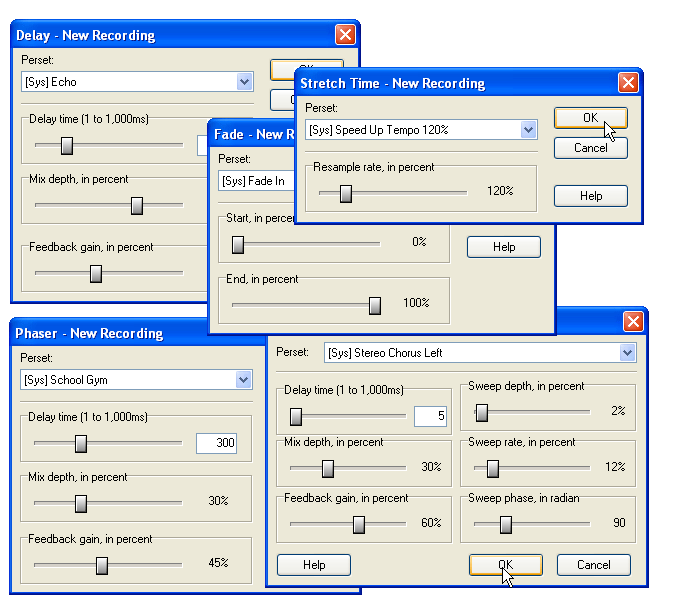
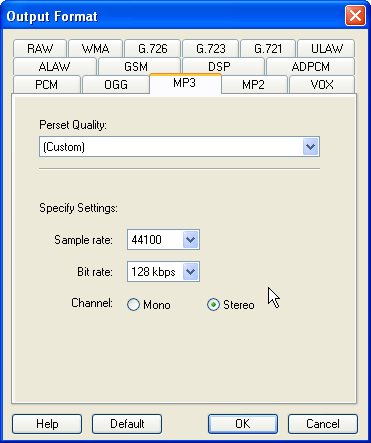
Smart Audio Editor es un completo programa de edición de audio que ofrece una variedad de opciones para grabación de audio, mezclado, analizado y diferentes efectos. Incluye una interfase intituiva, fácil de usar y esta diseñado para el usuario diario.Incluye docenas de increibles efectos de audio y herramientas para convertir los archivos de audio en diferentes formatos, incluyendo MP3, WMA, WAV, Ogg Vorbis y muchos otros. Y eso es sólo el principio de todo lo que puedes hacer con nuestro Smart Audio Editor. Si usas el audio para cualquier cosa - sitios web, presentaciones en PowerPoint, animaciones Flash, el Smart Audio Editor llevará tus creaciones al siguiente nivel.
The current text is the result of machine translation. You can help us improve it.
Requerimientos del Sistema:
Pentium: 166 MHz; 64 MB RAM Minimum; Windows 98/Me/NT/2000/XP/2003; MME-compatible Soundcard; Graphics: 256 colors, 800 x 600
Publicado por:
SmartAudio SystemsPágina Oficial:
http://www.smartaudioeditor.com/Tamaño del Archivo:
7.49 MB
Precio:
$29.95
GIVEAWAY download basket




Ofertas de hoy para iPhone »





Ofertas de hoy para Android »





Comentarios en Smart Audio Editor
Please add a comment explaining the reason behind your vote.
[installed quickly and easily on Windows Vista Home Premium x64]
Quite a useful program. has a lot of great features, for example 'noise reduction' and 'reverse'.
The interesting thing about this program is that it is exactly the same as a program called "Free Audio Editor"
http://www.free-audio-editor.com/
the only difference I have found is quite obvious; the GUI has completely reworked to fit the 'new' Microsoft Office look and feel. That and the price is apparently $29.95.
In my opinion, "Free Audio Editor" is slightly easier to use, better looking, and has a learning curve of zero.
so for those of you that may miss this giveaway, you can pick up its twin at http://www.free-audio-editor.com/
Save | Cancel
#6 and others who say Audacity is better should look closer at this program. I only looked it over for a few minutes and found things that Audacity doesn't have one of which being the number of output formats, another being able to play in loop, and another being able to change from Waveform to Spectral mode. These are but a few of the differences.
I have just about every form of music tools from Audacity to Cakewalk and I'm sure this program would be a great add on to compliment the others. No one program has it all, so to say one is better over another is ridicules. Another nice thing about this freebie is if you have to re-format you can still re-install it. DID YOU GET THAT? You can still re-install it according to the install directions, just save the program installer and read me file.
For the basic home user this program is rated five stars by Tucows,and a couple of editors choice awards for non-professional use. http://www.smartaudioeditor.com/reviews.htm Let's face it, if you're a pro you're going to shell out some big bucks for higher end programs so to bicker over free to $100 programs is useless.
Save | Cancel
This is a nice piece of software. It's pretty much Audacity but with a cleaner user interface and a few interesting additions (frequency analyzer, etc).
Save | Cancel
Downloaded fine on Vista HP 32-bit OS, and it appears to be compatible with the Vista OS environment, although this is not one of the listed supported systems in the GiveAway specifications.
Received Microsoft Register error message during install process, but the installation completed anyway despite this bump in the road.
Registration also proceeded smoothly, after which I exited and then re-accessed the program easily, with no problems.
Program has a pleasant, easy-to-read and understand user interface, with a full-featured Help Menu containing detailed, step-by-step guidance on how to use the program.
Audio conversion formats supported include: G.721, G.723, G.726, ALAW, ULAW, GSM, DSP, ADPCM, MP3, WMA, OGG, MP2, VOX, RAW, WAV.
It looks like a good program. Thank you GOTD team.
A freeware alternative is: WavePad Sound Editor, which may be downloaded at: http://www.nch.com.au/wavepad/index.html
Save | Cancel
Nice program! I installed it on Vista Home Premium and it activated OK. The program is simple and easy to use and offers several features I don't have on some other programs I use. My website distributes sound recordings spoken lessons and I need to be able to very simple editing of files, clean-up of noise, and so on. Some of our source files come from tape, so it was nice to see the cassette noise reduction.
The interface is clean and straight-forward, with many options. None the less, I had my first file up and being edited in less than a minute. Thanks, GAOTD - this one's a keeper.
Save | Cancel