Cada día ofrecemos un programa licenciado GRATIS que de otra manera tendrías que comprar!
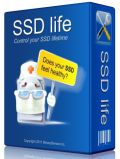
Giveaway of the day — SSD life for Ultrabook 2.5.8
SSD life for Ultrabook 2.5.8 estaba como Giveaway el día n 1 de mayo de 2015

SSDlife controla fácilmente y convenientemente tu SSD y te ayuda a estar seguro de que en los datos están seguros y protegidos después de haber sido almacenados en ellos. El programa analiza la frecuencia de uso de la unidad de estado sólido y estima su vida útil. La fecha de vencimiento de su vida útil depende de la frecuencia de uso de la SSD.
¿Utilizas una potente Ultrabook moderna? El nuevo SSDLife para Ultrabook ya está disponible para ti.
Es totalmente compatible con tu Ultrabook y sus recursos mínimos. SSDLife para Ultrabook fue originalmente diseñada para portátiles y aplica una carga mínima en el dispositivo. Proporciona el modo de ahorro de batería para extender el rendimiento de tu equipo. La mayoría de los ultrabooks y portátiles ultraportátiles están diseñados para encajar un solo disco. Es por eso que hemos optimizado para Ultrabook SSDLife tratar con un solo SSD. Esto también nos ayudó a reducir los recursos utilizados por el programa.
The current text is the result of machine translation. You can help us improve it.
Requerimientos del Sistema:
Windows 2003/ XP/ 2008/ Vista/ 7/ 8
Publicado por:
BinarySensePágina Oficial:
http://ssd-life.com/eng/ssdlife-for-ultrabook.htmlTamaño del Archivo:
3.76 MB
Precio:
$19.00
Mejores Titulos
SSD Life analyzes how actively you use your solid-state drive and uses a special algorithm to calculate its estimated lifetime. Purchase with 60% discount($11.60 instead of $29). Сoupon code - GOTD60
HDDLife Pro can now read the signs given by SSD disks, allowing you to move your data long before the lifespan of your SSD comes to an end. SSD’s store your data using an entirely different approach compared to traditional hard drives. Purchase with 60% ($10 instead of $25). Coupon code - GOTD60

License is valid for using SSDLife on 5 computers for $95.00 (all your home computers, laptops, etc). Purchase with 50% ($47.50 instead of $95.00).

License is valid for using HDDLife on 5 computers for $99.00 (all your home computers, laptops, etc). Purchase with 50% discount ($49.50 instead of $99.00).
Ofertas de hoy para iPhone »





Ofertas de hoy para Android »





Comentarios en SSD life for Ultrabook 2.5.8
Please add a comment explaining the reason behind your vote.
I'm sure most people have come across SSDs now, so not many people should be sitting there scratching their head wondering what SSDs are. However, just some background.
An SSD is a solid state drive - or a large capacity Flash drive (not related to the Flash technology that was talked about yesterday ... just a similar name). The benefits of an SSD is no moving parts and far superior read and write times compared to normal HDDs. Its always been said that extra memory in your PC (especially if you have 2 GB or less) will make it run an awful lot quicker. Windows likes 4 GB to 8 GB to make it feel 'snappy'. However, the fastest (and now cheapest) upgrade you can make is to install an SSD drive. Boot times will be 5 seconds instead of 45 seconds. Opening Word will be near instant. SSDs used to be expensive, but the price has dropped to you're-silly-if-you-dont-buy-one levels - less than 70 GBP (I'm in the UK) for 240 GB - good enough for most desktop and laptops (assuming you have a portable 2 TB USB drive in your pocket).
With technology, there is always a Yang for every Ying - write a 34 KB program for example, and it needs 800 MB of runtimes to download... plus a service pack ... and 300 MB of Windows Updates .... and the same is with SSDs. They are far more reliable than normal HDDs (no moving parts - no heads to crash) but they still have a finite lifetime. Windows loves writing to a disk (temp files, cache files, log files, page file, log files of temp files detailing cache files from the page file...) which eats into the available SSD life span.
With normal HDDs, the HDD would always (normally) write from the beginning of the drive first. There are exceptions, as its primary goal was to find a gap big enough for the file it wanted to write, but usually, it would always start looking from the start, and that gap would be near the front of the drive. With SSDs, the controller 'maps' each cell in the SSD and writes to each one in turn, ensuring no one cell gets over-used. This makes for an efficient and long-lasting SSD. Most SSDs now fit in this category - the 'younger' and cheaper models didn't. So in short, this software identifies the number of cells in the SSD, calculates the number of writes made to the drive, and works out how many times each cell has been written to. Unlike normal HDDs, where you get a bit of a warning of impending doom (it starts making a funny noise, or bad sectors, etc) an SSD will just die. If the controller chip throws a tantrum, its possible it will just corrupt all the data on the drive. Nice. A normal HDD could give typically 5 to 10 years life before you thought of changing it. An SSD is only 2 to 4 years.
So endeth todays lesson. TL DR: SSDs are faster than normal HDDs so upgrade your computer now if you haven't done so - you WILL notice a difference. Don't worry about SSD life - just ensure you have regular backups and they work.
Save | Cancel
"SSDs are faster than normal HDDs so upgrade your computer now if you haven’t done so – you WILL notice a difference. "
I'd add a caveat if I may... having a faster hard drive doesn't always matter much.
One type of RAID array can split the load among 2 or more hard drives, increasing speed substantially, & RAID arrays have been around a Very long time. Many, perhaps most people have never heard of them, & they're far from common after all these years. Yes, they're more expensive since you need at least 2 hard drives, but SSDs are more expensive too. Fact is most people & companies could not justify the cost for performance -- I would argue that SSDs are pretty much the same, only unlike RAID arrays there has been tons of marketing.
Having faster read speed matters only when your device is reading from the hard drive, and only for as long as it's reading from the drive. For Windows to start there are a lot of files to be read, & a lot of it is stored in memory or RAM. Once Windows is running, the next big reading chore is when you open or run whatever app -- when the app is stored on a SSD that happens faster too. Once that reading is done, so is the advantage of faster read speeds.
When you're using an app to do something, if there is anything slowing you down, it's very often, maybe even most of the time, not the speed of reading or writing from/to the hard drive at fault, but the work that's being done by for example the CPU. When you're working with large amounts of data, e.g. large image files [say RAW files from your camera], you may have more reading & writing to the hard drive as memory [RAM] fills up & stuff is temporarily stored on the hard drive to make up for that. The extra money spent for an SSD to speed that up may be better spent on more memory so fewer reads/writes happen.
Save | Cancel
Well, it is of great importance to monitor the fragile ssd's, and there are lots of ways to do that. In fact, Windows has it as one of it's many hidden features. Just Google that one. However, Intel, has provided a Toolbox for monitoring and taking care of their products, and that makes me wonder, if yet a program like today's offer, will give me peace in mind. Actually, I have no idea - and if you're in the same situation, then try and read a bit in the following link, where Intel's Toolbox can be downloaded free of any charge. However, thanks a lot for the offer to BinarySense and of course the team behind GOTD.
Intel's Toolbox for monitoring and checking ssd's : https://downloadcenter.intel.com/download/18455/Intel-Solid-State-Drive-Toolbox
Save | Cancel
Sorry for dupe posting, but I forgot to mention a link for freeware tools - just for bookmarking, if you miss or loose today's offer. Okay, very experienced users are better equipped, when it comes to determine,m when the ssd is running out of life. There are indeed programs written to help average users like my self to monitor and tell everything, you want to know about health and estimated remaining life of your ssd's. Happy spring with greetings from Denmark.
http://mashtips.com/ssd-health-test-and-performance-monitor-tools/
Save | Cancel
Installed OK on my Windows 7. It took longer than expected "computing space requirements" but when run, it tells me this version is only good for 1 SSD, I have 2, (not a good start).
I registered it, and the registration is good for 1 year, and after again telling me I needed the pro version to be able to monitor 2 SSD's, (I could not see how to choose which SSD it monitored, it defaulted to my EVO 840 500gb) I continued to a web page which showed an error, but indicated I could have the Pro version for $29.
I think I will not buy the Pro version, (I use Samsung magician free), but I will keep this for a while to see
what it does. No idea why it is called Ultrabook, looks rather like a SMART reader and an guestimate of SSD life expectancy, tells me my 2 month old SSD is ecellent, and good for 8 years 6 month and 21 days, WOW, what happens then?
Grossly overpriced in my humble opinion.
Thanks GOTD
Save | Cancel