Español
Cada día ofrecemos un programa licenciado GRATIS que de otra manera tendrías que comprar!
$29.95
EXPIRÓ
Giveaway of the day — StaffLogger 4.6
StaffLogger - employee monitoring program for controlling the working time on computers.
$29.95
EXPIRÓ
Votación de Usuario:
180
Déjanos un Comentario
StaffLogger 4.6 estaba como Giveaway el día n 25 de octubre de 2010
Hoy en Giveaway of the Day

¡Controle una computadora de escritorio o portátil remota desde cualquier dispositivo y en cualquier lugar!
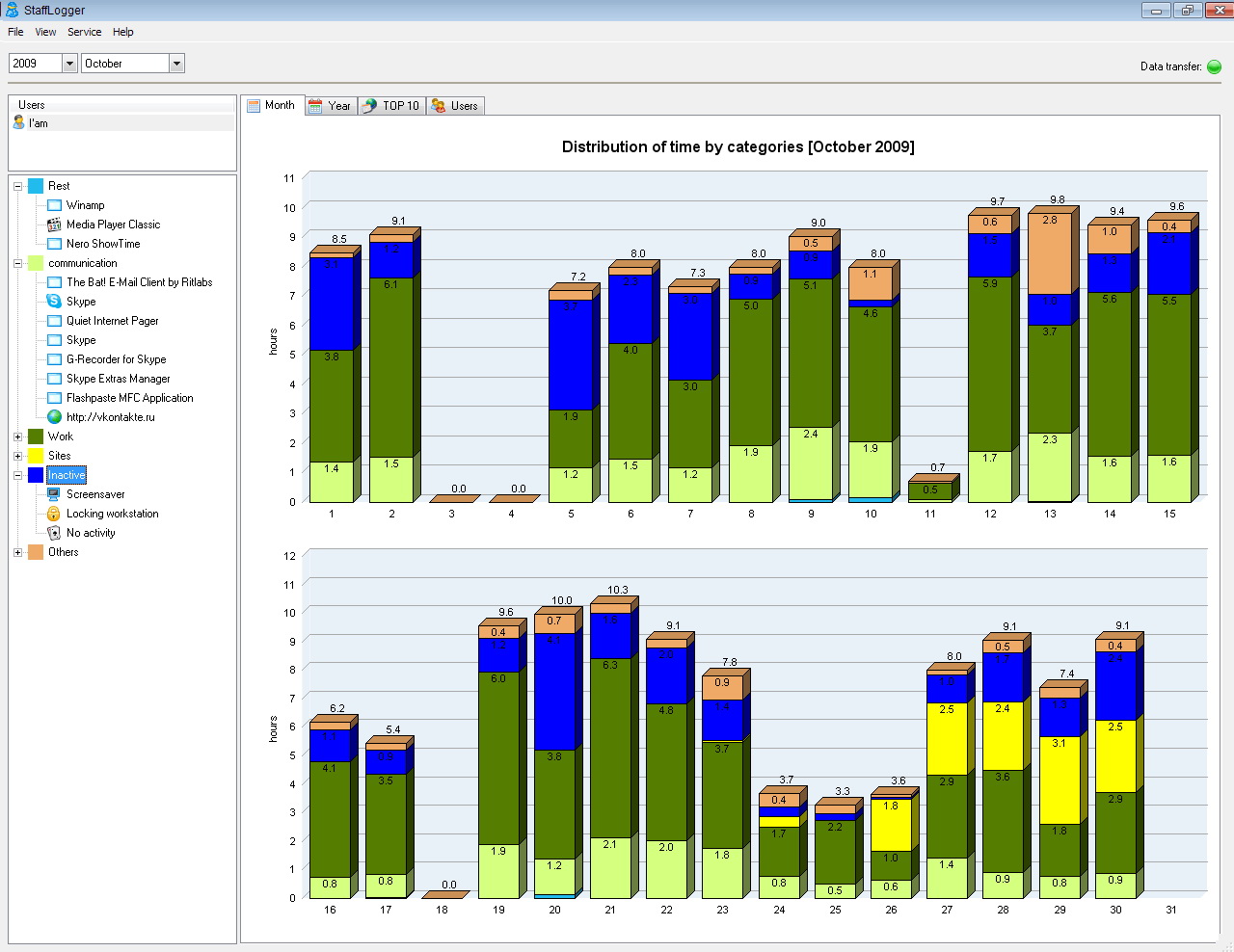
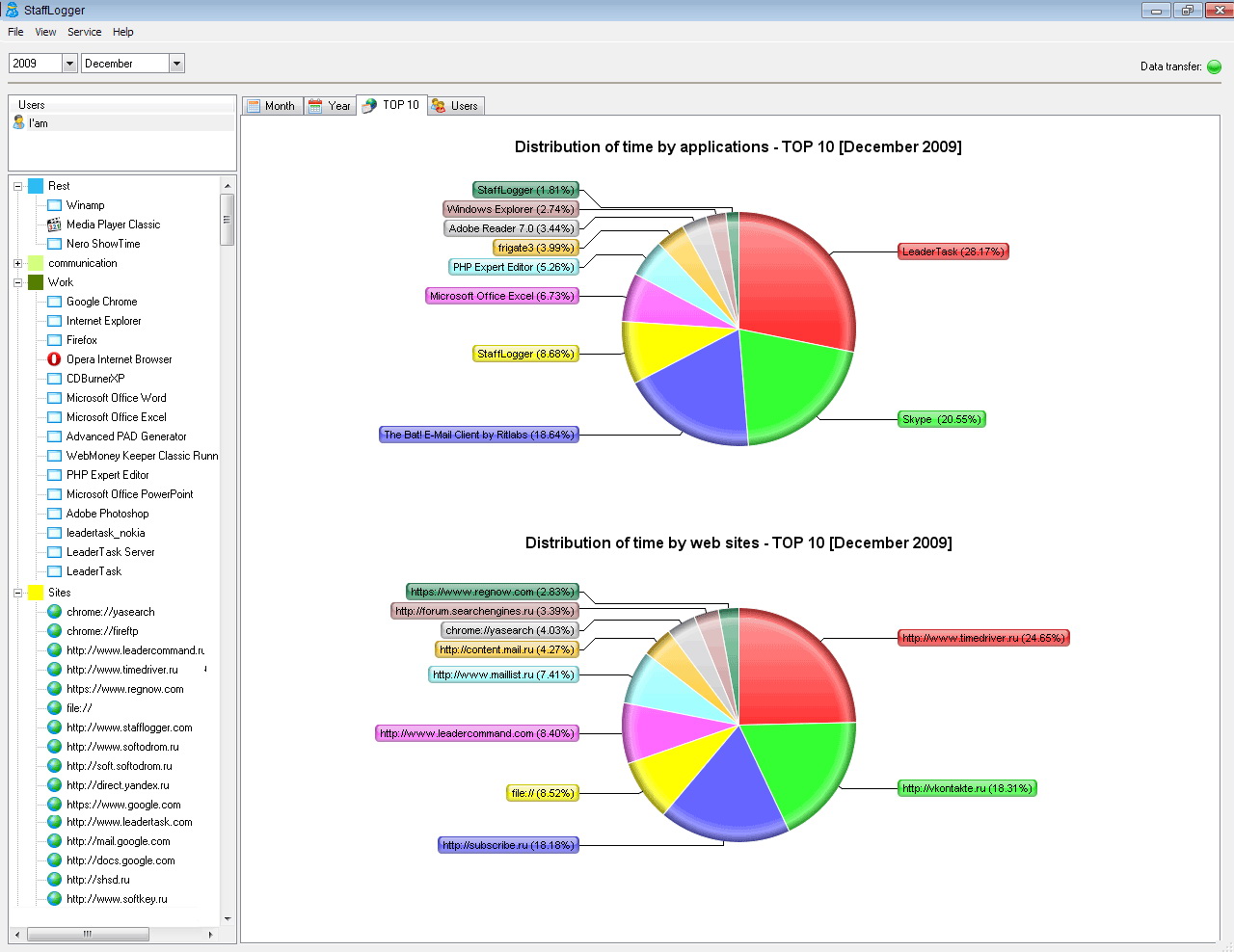
StaffLogger - emplea un programa de vigilancia para controlar el tiempo de trabajo en equipos. El programa de registros de las aplicaciones que el usuario trabaja con y los sitios de las visitas del usuario. StaffLogger se utiliza para supervisar la actividad de la computadora de un usuario.
Características:
- Logging del tiempo gastado en aplicaciones
- Logging tiempo en stand by
- Logging del tiempo gastado en stand by
- Reportes visuales
Tenga en cuenta que el uso comercial es posible en esta aplicación.
The current text is the result of machine translation. You can help us improve it.
Requerimientos del Sistema:
Windows 98, Me, NT, 2000, XP, 2003, Vista; 10 Mb Hdd; 64Mb RAM
Publicado por:
Almeza CompanyPágina Oficial:
http://www.stafflogger.com/Tamaño del Archivo:
3.50 MB
Precio:
$29.95
GIVEAWAY download basket

Developed by Microsoft

Create PDF documents from printable files.

Developed by ES-Computing

Generate, edit, convert and protect PDF files.
Ofertas de hoy para iPhone »

$19.95 ➞ gratis hoy

$0.99 ➞ gratis hoy

Every Day Spirit is a collection of beautiful, original, hand-crafted wallpapers created to make your phone look amazing.
$0.99 ➞ gratis hoy

$4.99 ➞ gratis hoy

$1.99 ➞ gratis hoy
Ofertas de hoy para Android »

$0.99 ➞ gratis hoy

$0.99 ➞ gratis hoy

Spelling Right is a new challenging educational spelling game that will test your English spelling skills.
$2.29 ➞ gratis hoy

$0.99 ➞ gratis hoy

$1.49 ➞ gratis hoy
Comentarios en StaffLogger 4.6
Please add a comment explaining the reason behind your vote.
Be sure this monitoring is legal in your country, before you deploy it. It definitely isn't in my country.
Save | Cancel
Also good for parents.See which sites your kids visit.
Save | Cancel
StaffLogger looks like the client portion of a server/client package that would send it's data to the boss for employee comparison, & the "Users" tab ["Comparison of users by category"] and Table tab IMHO support that *theory*. Otherwise data collected doesn't seem near granular enough -- doesn't have enough useful info for many (most?) users, with everything based on months rather than weeks, days, or hours. The left side of the program's window is a column with apps run & sites visited split up into categories -- you can create new categories &/or move recorded apps/sites to a different category... it might work for a limited number of apps/sites, but could quickly become unmanageable if you had to do any on-line research for example. The Service menu opens the Options dialog where you can set & password &/or hide the app. The View menu only offers Refresh, while the sole entry under the File menu is Exit.
Installation adds the app's program folder to My Documents -- taking up a bit over 8.5 MB in 25 files, 8 folders after it's run, about 1/2 that beforehand, data & backups are stored in the program's folder as .dbase files. The program folder also includes a folder named "Installer" with "install_client_mode.cmd" [a script] & a copy of the original setup file. A Microsoft C++ runtime file [msvcp60.dll] is also included in setup.exe, headed for Windows' system folder if it's not already installed. The ~130 registry adds are fairly minor, but include Windows' "cdosys.dll" -- it doesn't show up in Process Explorer [SysInternals] running StaffLogger, & a quick review with Google shows it being used primarily for e-mail... the Google results also show quite a few problems related to cdosys.dll, from email problems to Windows won't boot.
My general impression of StaffLogger was that I must be missing something, that surely there must be more to it, like a way for the boss to gather recorded data, but I see no mention anywhere [including the stafflogger site] of a server or master version, no way to set it to send/receive data etc. Assuming that's how it works it might be handy in a small office to pick up on trends, e.g. an employee spending too much time on-line, but beyond that it doesn't seem to know or care if for example Word's just sitting in the background or someone's really using it.
Save | Cancel
@16 - please look at the text under the Key Features section, it says Please note that commercial usage is possible for this title.
Save | Cancel
The program registers easily and registration is confirmed when you click on the Help Menu and then 'About'. I wish all giveawayoftheday.com programs confirmed registration.
I like that it's password protected so nobody can access or delete info w/out knowing the password.
You can hide the program so employees or kids you are monitoring won't know it's installed or running.
I am curious about this WOT remark:
http://www.mywot.com/en/scorecard/stafflogger.com
Most of the information that this program collects can be retrieved from any computer w/out any program but a sneaky kid or employee will know how to erase their track so this program helps in that regard.
A problem I have with this program is that if an employee logs on to Yahoo mail in the morning, never checks it again the whole day but doesn't close that site, this program will show that they were using it all day. It doesn't report how active they are on a site.
Also, if a kid or employee googles something, it doesn't report what they were searching. If an employee or one of my kids can get on a site like youtube, this program can't tell me what type of videos they watched. It will just say they have been to that site and how long they were there.
Also, if they are using an anonymous proxy site, the program can't tell you where they have been on the net.
It's a great program but it needs to be beefed up with more information collected. If you did have a problem with an employee on some video site or some-such, you would want to know what they were doing there and this simply doesn't collect that information. It's easier to terminate and employee if you have finer details like that.
As for it's legality, I work for the government in the USA and every time I log-on each day, I must click on a contract agreement stating that I understand that anything I do can and may be collected and reviewed at anytime. Most cooperations have you sign agreements like that when you are hired.
state comp
Save | Cancel