Cada día ofrecemos un programa licenciado GRATIS que de otra manera tendrías que comprar!
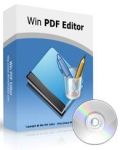
Giveaway of the day — Win PDF Editor 2.3 (Win and Mac)
Win PDF Editor 2.3 (Win and Mac) estaba como Giveaway el día n 10 de marzo de 2015

Win PDF Editor es un producto de software de edición de PDF de Windows que te permite modificar y editar documentos PDF, así como añadir texto, eliminando el contenido no deseado, dibujar líneas y girando las páginas en PDF. Si escribes texto en el PDF, puedes cambiar la fuente del texto, tamaño, color y moverlo a cualquier lugar que desees en la página.
Después de insertar una imagen en PDF, puedes cambiar el tamaño de la imagen y moverla también. Si encuentras algunas palabras o imágenes que necesitan ser removidos, basta con utilizar la herramienta de borrar. Mejor que otras aplicaciones PDF Reader, Win PDF Editor puede guardar permanentemente los cambios de contenido PDF editados en formato PDF.
Si eres un usuario de Mac OS, descarga el paquete de instalación aquí (2.61MB).
The current text is the result of machine translation. You can help us improve it.
Requerimientos del Sistema:
Windows 2000/ XP/ 2003/ Vista/ 7/ 8 (x32/x64); Mac OS X 10.8 or later
Publicado por:
WinPDFEditorPágina Oficial:
http://winpdfeditor.com/Tamaño del Archivo:
38.8 MB
Precio:
$39.95
Mejores Titulos
PDF To Excel Converter is a windows application to convert PDF document to Excel XLS format fast and easily. With PDF To Excel Converter, users will be able to edit their PDF forms in MS Excel in few clicks.
JPG To PDF Converter is a windows utility that quickly convert multiple images into a single PDF document. With JPG To PDF Converter users can create pdf files from image formats like JPG, GIF, BMP, TIF, PNG and PSD.
There are a lot of PDF files can not be printed or converted, that means those PDF files have been protected. PDF Password Remover is a shareware tool to remove PDF restriction from protected PDF files.
GIVEAWAY download basket


Ofertas de hoy para iPhone »





Ofertas de hoy para Android »





Comentarios en Win PDF Editor 2.3 (Win and Mac)
Please add a comment explaining the reason behind your vote.
Installed and registered without problems on a Win 8.1.3 Pro 64 bit system. Many registry entries due to an old active-x : MSCOMCTL.OCX
A (Chinese? digitally signed Di Wu) company without name and address.
We had had a previous version Win PDF Editor 2.0.4 on January 4, 2014. Here are the old reviews:
http://www.giveawayoftheday.com/win-pdf-editor-2-0-4/
Upon start a splsh screen give you the choice to "edit" a PDF or to convert.
For conversion from PDF to other formats, it uses the obsolete and never working EXE from 2006
http://i.imgur.com/Iy2qbk7.png
As expected, the software cannot convert even simple PDF files. Useless! The default output is still : c:\output...
http://i.imgur.com/w5FDUXf.png
To the so called "edit" function. This is not editing the true PDF text, it is creating an image, which overlays the unchanged PDF content. If you "delete" something in the PDF file, it means an overlay of a blank text image. The text under the image can be read whenever you want:
http://i.imgur.com/IzntKLA.png
Does what it claims? No, it isn't a PDF editor, in isn't a working PDF converter. Think what you want.
Uninstalled via reboot.
Save | Cancel
Thanks Karl. Very thorough. You saved me a lot of time.
Save | Cancel
Hi tried a very simple thing: adding some text on top of an image-based pdf. Another editor I have handles this successfuly.
This doesn't. It doesn't operate in WYSIWYG mode, but after a couple of clicks offers a pop-up box. Entering text in this and closing the box leaves a small box with no text on it on top of the original pdf.
Finally, quitting the program produces the inimitable ungrammatical message:
'Are you sure to quit?'
I'm fairly sure, then, this is a Chinese authored program.
Save | Cancel
The usual confusion here between PDF editor and PDF annotator. An annotator allows you to ADD things and then edit those additions. The additions are called annotations. An editor allows you to edit the original document, most notably the text. Many annotators are free. I don't know of any full editors that are free.
Save | Cancel